Running virtual machines is one thing. Building a private cloud where development teams can provision infrastructure on demand, without compromising security or overwhelming administrators, is something quite different.
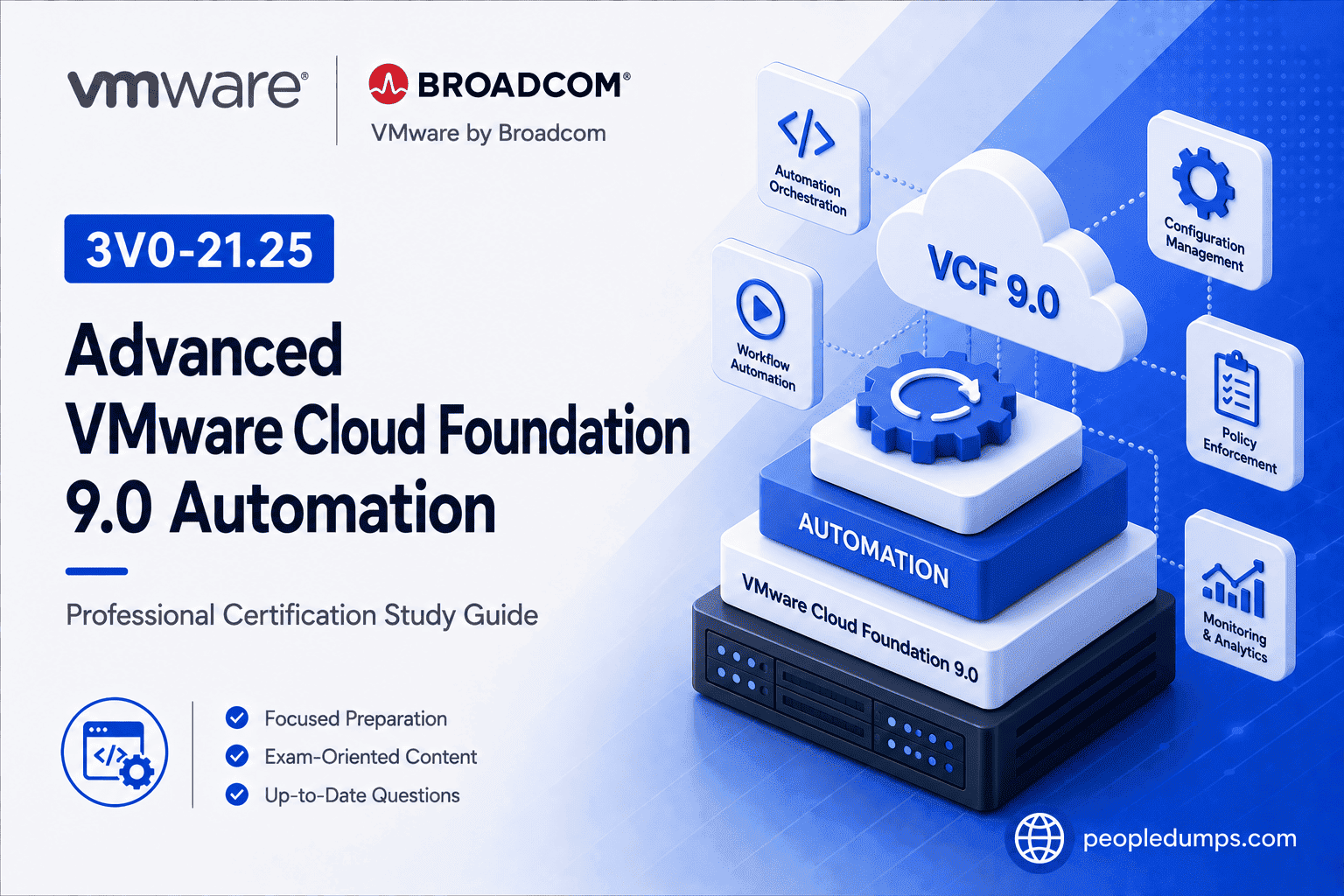
That distinction is at the heart of the Advanced VMware Cloud Foundation 9.0 Automation (3V0-21.25) exam.
As enterprise IT continues to evolve, virtualization professionals are increasingly expected to do more than maintain hypervisors and manage virtual machines. They need to understand automation, infrastructure governance, self-service provisioning, cloud networking, and workload lifecycle management.
VMware Cloud Foundation (VCF) 9.0 brings these capabilities together in an integrated private cloud platform. Its automation services help organizations deliver infrastructure with greater consistency, control, and operational efficiency.
For IT students, aspiring cloud engineers, and experienced VMware administrators, the 3V0-21.25 exam offers a structured opportunity to develop and validate these skills.
This guide explores the certification, its technical foundations, the knowledge candidates should develop, and practical ways to prepare.
1. What Is the VMware 3V0-21.25 Exam?
The VMware 3V0-21.25 exam is associated with the VMware Certified Advanced Professional (VCAP) certification for VMware Cloud Foundation Automation.
The official exam blueprint describes the assessment as VMware Cloud Foundation Automation – Advanced Automation Administration and Consumption.
Its central objective is to evaluate whether candidates can design, configure, administer, and manage automated workload services within a VMware Cloud Foundation 9.0 environment.
Unlike a foundation-level certification, the exam goes beyond identifying product features. Candidates must understand how different components interact and how configuration decisions affect a private cloud.
For readers exploring this certification, the VMware 3V0-21.25 Advanced Automation course page provides a dedicated starting point for reviewing this specific certification topic.
VMware 3V0-21.25 Exam Details
| Exam Information | Details |
|---|---|
| Exam Code | 3V0-21.25 |
| Exam Name | Advanced VMware Cloud Foundation 9.0 Automation |
| Certification Level | VMware Certified Advanced Professional (VCAP) |
| Product Version | VMware Cloud Foundation 9.0 |
| Exam Language | English |
| Number of Questions | 60 |
| Exam Duration | 135 minutes |
| Passing Score | 300 (scaled) |
| Exam Delivery | Pearson VUE, proctored |
| Question Formats | Multiple choice, multiple selection, matching, drag-and-drop, build-list and other interactive formats |
| Published Exam Price | USD $250, subject to regional confirmation |
Important: Exam specifications, pricing, and certification requirements can change. Always consult Broadcom’s official certification website and exam guide before scheduling an appointment.
2. Understanding VMware Cloud Foundation 9.0
Before studying advanced automation, it helps to understand what VMware Cloud Foundation is designed to accomplish.
Traditional virtualization environments often rely on separate teams and tools for compute, storage, networking, and operations. Although these technologies may work well individually, coordinating them can become difficult as infrastructure grows.
VMware Cloud Foundation provides an integrated software platform for building and operating private cloud infrastructure.
Its major technologies include:
- VMware vSphere: Provides compute virtualization and virtual machine management.
- VMware vSAN: Delivers software-defined storage capabilities.
- VMware NSX: Enables virtual networking, network segmentation, and security services.
- VCF Automation: Provides infrastructure automation, self-service consumption, and governance capabilities.
- VCF Operations: Supports infrastructure monitoring, operational visibility, and capacity management.
- vSphere Supervisor: Provides Kubernetes-oriented workload services integrated with vSphere.
These technologies work together to support a cloud operating model within enterprise-controlled infrastructure.
For example, an organization might want developers to request virtual machines or Kubernetes resources without submitting a separate ticket for every deployment.
VCF Automation can expose approved infrastructure services through a self-service interface while administrators retain control over resource allocation, identity, networking, and governance policies.
3. What Is VMware Cloud Foundation Automation?
VMware Cloud Foundation Automation (VCFA) is the automation and consumption layer of VMware Cloud Foundation.
Its role is to transform underlying infrastructure resources into services that users can request and manage.
Think about how infrastructure is traditionally delivered.
A developer requests a virtual machine. An administrator checks capacity, selects a cluster, configures storage, provisions networking, creates the VM, and applies the necessary access controls.
Even when individual tasks are straightforward, repeating them manually across hundreds of requests creates delays and inconsistencies.
Automation changes that process.
Administrators can define approved deployment blueprints, establish governance controls, and publish infrastructure services for authorized users.
Consumers can then deploy supported resources through standardized workflows.
The result is not simply faster provisioning. It is a more predictable and manageable approach to infrastructure delivery.
4. Core Technical Topics Covered by the 3V0-21.25 Exam
The official VMware 3V0-21.25 certification topic focuses on the administration and consumption lifecycle of VMware Cloud Foundation Automation.
Candidates should understand both the individual technologies and the relationships between them.
4.1 Provider Management and Cloud Architecture
Provider Management is one of the foundational concepts in VCF Automation.
Provider administrators establish and manage the infrastructure services that organizations will consume.
This includes configuring infrastructure connectivity, creating organizational structures, and defining resource availability.
Important concepts include:
- Provider-level administration
- Infrastructure resource discovery
- Organization creation and management
- Regions and cloud zones
- Infrastructure capacity allocation
- Tenant isolation and governance
Consider a company operating two data centers, one in Singapore and another in Frankfurt.
The infrastructure team needs to make resources available to different business units while maintaining control over geographic placement and capacity.
A well-designed automation environment can organize infrastructure resources into appropriate consumption boundaries.
Understanding how these boundaries are created, assigned, and governed is essential for advanced administration.
4.2 Multi-Tenancy and Organization Management
Multi-tenancy allows a shared cloud platform to serve different groups while maintaining appropriate separation.
In VCF Automation 9.0, candidates should understand the distinctions between All Apps organizations and VM Apps organizations.
These organization models support different workload and infrastructure consumption requirements.
All Apps organizations are particularly relevant when environments need to support both traditional virtual machines and modern application workloads using Supervisor-based services.
VM Apps organizations focus on virtual machine application consumption.
The selection of an organization model affects resource consumption, networking architecture, and the services that administrators can expose.
For exam preparation, avoid memorizing organization names without understanding their purpose.
Instead, consider practical questions:
- What workload types must an organization support?
- How should infrastructure resources be assigned?
- Which users should have administrative privileges?
- How will separate teams consume shared infrastructure?
- What networking model is appropriate?
These are the kinds of architectural decisions that matter in production environments.
4.3 VMware NSX and Virtual Private Cloud Networking
Networking is a critical part of private cloud automation.
Provisioning a virtual machine is of limited value if the workload cannot communicate securely with required applications and services.
VMware NSX provides software-defined networking capabilities that support connectivity, security, and isolation.
Within VCF Automation, candidates should develop familiarity with:
- Virtual Private Clouds (VPCs)
- Network isolation
- IP address allocation
- Network connectivity policies
- Ingress and egress connectivity
- Integration with vSphere Supervisor
- Organization-level networking requirements
A VPC provides a logical networking boundary for workloads and their associated connectivity services.
For example, a financial services company might operate separate development and production environments.
Developers need flexibility to deploy applications, but production databases must remain protected from unauthorized access.
Network segmentation and appropriate governance policies help support these requirements.
Study tip: Build a clear mental model of how a workload moves from an automation request to its final network configuration. Understand which controls are managed at the infrastructure level and which are exposed to consumers.
4.4 Blueprints and Self-Service Service Catalogs
Blueprints are central to infrastructure automation.
A blueprint describes the resources and configuration needed to deploy a service.
Instead of manually creating every component, administrators can define a reusable deployment model.
For example, a development team might request an application environment consisting of:
- One application virtual machine
- One database virtual machine
- Approved compute sizing
- A designated storage policy
- Required network connectivity
- Standardized deployment inputs
A blueprint can represent the approved resource configuration, while the service catalog provides an accessible way for authorized users to request it.
This approach helps organizations standardize deployments and reduce configuration drift.
Key study areas include:
- Blueprint development and management
- Reusable deployment inputs
- Service catalog publishing
- Resource entitlement
- Deployment lifecycle operations
- Resource quotas and governance
One important distinction is that automation does not eliminate the need for design.
A poorly designed blueprint can reproduce the same mistake hundreds of times. Standardization is valuable only when the underlying configuration is appropriate.
4.5 Automation Orchestration and Extensibility
Infrastructure deployment frequently involves systems outside the virtualization platform.
A new application may require DNS registration, configuration management, security validation, or integration with an IT service management system.
Orchestration helps coordinate these activities.
VCF Automation environments can use orchestration capabilities, APIs, and supported extensibility mechanisms to connect infrastructure workflows with other enterprise services.
Candidates should understand:
- Workflow execution
- Automation triggers
- API-based operations
- Extensibility concepts
- Integration with external services
- Workflow monitoring and troubleshooting
Imagine a new virtual machine deployment that must automatically register with an internal DNS service and notify an operations system.
Rather than requiring separate manual actions, an appropriately designed workflow can coordinate these steps.
From an operational perspective, it is equally important to understand what happens when one of those steps fails.
Successful automation requires error visibility, predictable execution, and a recovery strategy.
4.6 Identity, Access Control, and Governance
Automation can increase operational risk when access controls are poorly designed.
A self-service platform must establish who can request services, which resources they can use, and what actions they are authorized to perform.
Important topics include:
- Identity provider integration
- Role-based access control (RBAC)
- Provider and organization permissions
- Resource quotas
- Governance policies
- Certificate management
- Secure access to automated services
For example, a developer may need permission to deploy applications but should not automatically receive authority to change provider-level infrastructure settings.
Similarly, a network administrator may need elevated privileges for networking operations without receiving unrestricted control over every automation service.
Understanding the principle of least privilege is therefore important for both examination preparation and production administration.
4.7 Monitoring and Operational Management
Automation does not end when a workload is successfully deployed.
Administrators also need to monitor resource consumption, identify failures, and maintain the health of the underlying environment.
VCF Operations provides capabilities for observing and managing aspects of the VCF environment.
Candidates should become familiar with:
- Infrastructure health monitoring
- Operational dashboards
- Workload visibility
- Capacity considerations
- Automation failure investigation
- Deployment lifecycle troubleshooting
Suppose an automated deployment fails during provisioning.
The correct response is not necessarily to restart the deployment immediately.
An administrator should determine whether the failure originated from resource availability, permissions, network configuration, blueprint settings, or an external workflow dependency.
That ability to isolate problems is a valuable skill for advanced automation professionals.
5. Why Is the VCAP VMware Cloud Foundation Automation Certification Valuable?
Professional certifications are most valuable when the knowledge behind them can be applied to real infrastructure challenges.
The VCAP Automation certification focuses on skills that are relevant to organizations building and operating VMware-based private clouds.
Demonstrating Advanced Technical Capability
The certification provides evidence of knowledge beyond basic virtualization administration.
It covers areas such as cloud consumption architecture, governance, automation workflows, and workload lifecycle management.
Supporting Career Development
The underlying skills are relevant to several technical roles:
- VMware Infrastructure Engineer
- Private Cloud Engineer
- Cloud Automation Engineer
- Virtualization Administrator
- Infrastructure Automation Specialist
- Cloud Platform Engineer
- Infrastructure Solutions Architect
Certification alone does not guarantee employment or promotion. However, combined with practical experience, it can help demonstrate specialization in an enterprise infrastructure platform.
Connecting Traditional Infrastructure and Cloud Operations
One of the most useful aspects of VCF Automation is the connection between established virtualization technologies and modern cloud operating practices.
Engineers who understand both sides can help organizations introduce self-service delivery without abandoning operational control.
This combination of infrastructure and automation knowledge is especially useful in complex enterprise environments.
6. Is VMware 3V0-21.25 Suitable for Beginners?
The short answer is that beginners can study the technology, but the examination itself is advanced.
Broadcom’s official exam guide describes a candidate with substantial general IT experience, including approximately five years of industry experience, and the ability to administer complex VCF Automation environments.
For students and early-career professionals, that should be viewed as a description of the expected competency rather than a reason to avoid learning the subject.
A sensible starting point is to develop knowledge in the following areas:
- Virtual machines, hypervisors, and vSphere administration
- IP networking, routing, DNS, and basic network security
- Storage concepts and virtual infrastructure design
- VMware Cloud Foundation architecture
- Automation concepts, APIs, and declarative configurations
- VCF Automation administration and workload consumption
If you have never configured a virtual machine or worked with network segmentation, begin there before attempting advanced multi-tenant automation scenarios.
Building the fundamentals first will make the more complex topics significantly easier to understand.
7. A Practical VMware 3V0-21.25 Study Plan
A productive study plan should combine documentation, architectural understanding, and hands-on experience.
For candidates organizing their preparation, it may be useful to bookmark the Advanced VMware Cloud Foundation 9.0 Automation exam page alongside the official Broadcom exam blueprint.
The following eight-week outline is a suggested learning structure, not an official Broadcom training schedule.
Weeks 1–2: Establish the VCF 9.0 Foundation
- Review VCF 9.0 architecture.
- Understand vSphere, vSAN, and NSX integration.
- Identify the role of VCF Automation.
- Study provider and organization administration concepts.
- Read the official 3V0-21.25 exam objectives.
Weeks 3–4: Focus on Tenancy and Resource Consumption
- Compare All Apps and VM Apps organizations.
- Study regions and cloud zones.
- Understand VPC networking and resource allocation.
- Explore quotas, permissions, and governance policies.
- Practice mapping business requirements to organization designs.
Weeks 5–6: Develop Automation Skills
- Study blueprint creation and management.
- Explore catalog-based infrastructure consumption.
- Review orchestration workflows and extensibility.
- Understand deployment inputs and lifecycle operations.
- Practice analyzing automation failures.
Weeks 7–8: Validate and Review
- Review identity and certificate management.
- Study operational monitoring through VCF Operations.
- Revisit difficult blueprint objectives.
- Practice explaining design decisions.
- Use legitimate practice questions to identify knowledge gaps.
- Recheck the current official exam guide before scheduling.
For experienced administrators, this schedule may be shortened. For students who are new to VMware technologies, a longer preparation period will usually be more realistic.
8. Recommended Hands-On Lab Scenarios
Reading documentation is necessary, but automation becomes easier to understand when you observe how configuration choices affect running workloads.
Access to VCF 9.0 may require appropriate licensing, lab infrastructure, and software entitlements. If a full local deployment is impractical, use authorized training environments, guided demonstrations, or available vendor-provided labs.
Lab 1: Explore Provider and Organization Administration
Objective: Understand the administrative boundaries between infrastructure providers and consuming organizations.
Suggested activities:
- Inspect provider-level infrastructure configuration.
- Review available organization models.
- Examine resource assignment and tenancy boundaries.
- Compare administrative privileges.
Lab 2: Configure an Infrastructure Consumption Scenario
Objective: Understand how approved resources become available to consumers.
Suggested activities:
- Review available regions and cloud zones.
- Examine resource allocation policies.
- Configure or inspect an authorized catalog offering.
- Request a workload using supported self-service features.
Lab 3: Investigate Networking and Security
Objective: Understand the relationship between workload provisioning, network connectivity, and isolation.
Suggested activities:
- Review NSX networking integration.
- Inspect VPC configuration.
- Examine ingress and egress requirements.
- Validate access and connectivity policies.
Lab 4: Analyze an Automation Failure
Objective: Learn a systematic approach to diagnosing deployment issues.
In a safe lab environment, investigate a simulated deployment failure involving an unavailable resource, incorrect entitlement, or invalid configuration.
Identify the failed stage, examine available diagnostics, and determine the appropriate corrective action.
Documenting the investigation is particularly useful because it encourages repeatable troubleshooting habits.
9. Common Mistakes When Preparing for VMware 3V0-21.25
Several study habits can make this examination more difficult than necessary.
Relying Entirely on Older VMware Aria Automation Material
Previous VMware automation products provide useful conceptual background, but VCF Automation 9.0 introduces its own architecture, terminology, and operational workflows.
Older guides should be treated as supplementary references rather than substitutes for the current VCF 9.0 exam blueprint.
Memorizing Features Without Understanding Relationships
Knowing what a cloud zone is does not necessarily mean understanding when to use one.
For each major feature, ask what problem it solves, who administers it, and how it affects workload consumption.
Ignoring Networking Fundamentals
Many automation problems depend on routing, addressing, name resolution, and security boundaries.
A solid networking foundation makes these topics easier to troubleshoot.
Studying Only for the Exam
Practice questions can be useful for self-assessment, but they cannot replace practical skills.
A better goal is to understand the platform well enough to explain how you would design, deploy, and troubleshoot an automation service in a real organization.
10. VMware 3V0-21.25 Exam Day Tips
The examination may include different question formats, so candidates should be comfortable interpreting technical scenarios and configuration requirements.
- Read each question carefully before reviewing the answer choices.
- Identify the administrative scope described in the scenario.
- Pay attention to organization types and networking requirements.
- Separate provider-level responsibilities from consumer-level operations.
- Consider security and governance implications.
- Manage time carefully across the examination.
With 60 questions and an appointment duration of 135 minutes, time management matters. The full appointment may include examination-related instructions, so candidates should follow the timing presented by the testing system.
Remember that a scaled passing score of 300 does not mean that answering exactly 60% of questions correctly guarantees a pass.
11. Frequently Asked Questions About VMware 3V0-21.25
What certification does VMware 3V0-21.25 lead to?
The exam is associated with the VMware Certified Advanced Professional certification in VMware Cloud Foundation Automation. Consult the official certification page for current award requirements.
Is VMware 3V0-21.25 difficult?
It is an advanced-level examination. Candidates are expected to understand complex automation administration, cloud consumption, governance, networking integration, and operational management.
How many questions are in the 3V0-21.25 exam?
The published examination specification lists 60 questions.
What is the passing score for VMware 3V0-21.25?
The published passing score is 300 on a scaled scoring system.
How long is the VMware 3V0-21.25 exam?
The published examination appointment duration is 135 minutes.
Does the exam cover VMware NSX?
Yes. Candidates should understand networking concepts relevant to VCF Automation, including NSX integration, VPCs, network connectivity, and tenant isolation.
Do I need hands-on VMware experience?
Hands-on experience is strongly recommended because the exam assesses applied administration and architecture knowledge. Review the official certification requirements to determine whether any formal prerequisites apply.
Can students prepare for VMware 3V0-21.25?
Yes. Students can begin by studying virtualization, networking, cloud architecture, and automation. However, this advanced certification is best approached after developing substantial foundational knowledge and practical experience.
Is VMware Cloud Foundation Automation the same as VMware Aria Automation?
VCF Automation is part of the VMware Cloud Foundation platform. Professionals familiar with earlier Aria Automation technologies may recognize related concepts, but they should not assume that product architecture, terminology, and workflows are identical across versions.
12. Final Thoughts: Is the VMware 3V0-21.25 Certification Worth Pursuing?
The Advanced VMware Cloud Foundation 9.0 Automation (3V0-21.25) certification represents a meaningful technical challenge for professionals working with VMware-based private cloud environments.
Its real value lies in the breadth of skills involved.
Successful automation requires more than creating reusable infrastructure templates. It requires understanding workload requirements, resource allocation, security boundaries, networking, governance, and ongoing operations.
For experienced VMware administrators, the certification provides a path toward deeper specialization in private cloud automation.
For students and early-career engineers, the exam objectives offer a useful roadmap for building relevant technical knowledge, even if taking the examination is a longer-term goal.
My recommendation is straightforward: start with the official blueprint, develop a strong understanding of VCF architecture, and spend as much time as possible applying the concepts through authorized hands-on environments.
When you can explain not only how an automated service works but also why it was designed that way, you are developing the judgment that advanced infrastructure engineering requires.
If you are planning to pursue this certification, you can also explore the dedicated 3V0-21.25 VMware Cloud Foundation 9.0 Automation course page as part of your preparation research.
13. Official Resources and Further Reading
The following resources provide authoritative technical information and certification guidance.
- Broadcom – Official VCAP Automation Exam Guide
VMware Cloud Foundation Automation – Advanced Automation Administration and Consumption Exam Guide
The primary reference for examination objectives and expected technical competencies. - Broadcom – VMware Certification
VMware Certification Programs
Official certification information, examination resources, and certification paths. - Broadcom Tech Docs – VMware Cloud Foundation Documentation
VMware Cloud Foundation Technical Documentation
Product documentation covering VCF architecture, configuration, and administration. - Broadcom Knowledge Base – VCF Automation Deployment
Recommended Deployment Journey for VCF Automation in VMware Cloud Foundation 9.0
Guidance on deployment sequencing and platform prerequisites. - Broadcom – VCF 9.0 Product Versioning
Unified VCF Product Releases and Versioning
Explains the versioning approach used across VMware Cloud Foundation components. - Broadcom Community – VMware Education
Broadcom Community
Technical discussions, learning resources, and VMware certification communities.