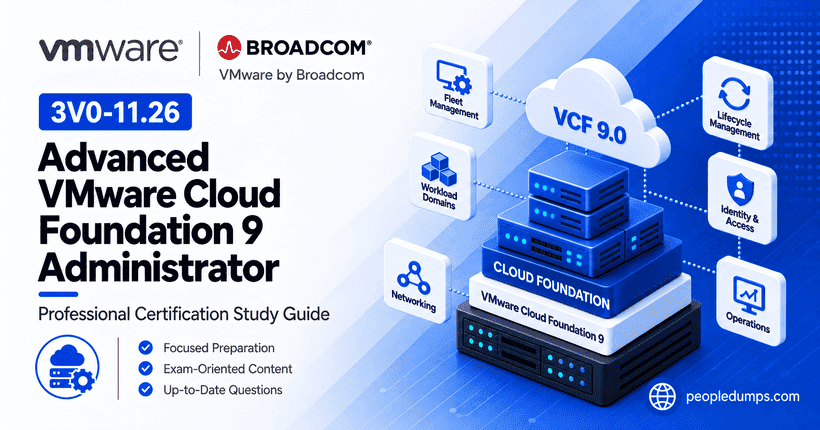
The 3V0-11.26 exam, officially titled Advanced VMware Cloud Foundation 9.0 Administrator, is designed for IT professionals who need to manage VMware Cloud Foundation (VCF) as an integrated private-cloud platform. It goes well beyond creating virtual machines in vCenter. Candidates need to understand storage policies, NSX networking, multi-tenant automation, Kubernetes services, performance, identity, and fleet-wide operations.
For anyone planning to earn an advanced VMware certification, understanding the exam requirements is the first step. The Advanced VMware Cloud Foundation 9 Administrator (3V0-11.26) exam focuses on the technical knowledge and administrative skills needed to manage a modern private-cloud infrastructure.
This guide explains the official exam details, major technology areas, certification value, practical administration scenarios, and an effective preparation strategy. Whether you are an experienced VMware administrator or a student exploring enterprise virtualization, the goal is to help you understand the technologies behind the exam rather than simply memorize terminology.
Quick overview: The 3V0-11.26 exam is associated with the VMware Certified Advanced Professional – VMware Cloud Foundation Administrator (VCAP-VCF Administrator) certification. Broadcom’s published exam guide specifies 60 exam items, a 135-minute appointment, and a scaled passing score of 300. The exam objectives emphasize the configuration, administration, and operational management of VMware Cloud Foundation 9.
3V0-11.26 Exam Overview: Format, Duration, and Passing Score
Before starting your preparation, it is important to understand what the certification exam measures. The Advanced VMware Cloud Foundation 9 Administrator exam evaluates the administrative knowledge required to deploy, configure, manage, and maintain VMware Cloud Foundation technologies in enterprise environments.
The official Broadcom VCAP Administrator Exam Guide is the primary source for exam requirements and objectives.
| Exam Information | Details |
|---|---|
| Exam Code | 3V0-11.26 |
| Official Exam Name | Advanced VMware Cloud Foundation 9.0 Administrator |
| Certification | VCAP-VCF Administrator |
| Certification Level | Advanced Professional |
| Number of Exam Items | 60 |
| Appointment Duration | 135 Minutes |
| Passing Score | 300 (Scaled Score) |
| Exam Delivery | Pearson VUE Proctored Exam |
| Question Formats | Multiple Choice, Multiple Selection, Matching, Build-List, Drag-and-Drop, Point-and-Click, and Hot-Area |
| Primary Exam Focus | Installation, Configuration, and Administration of VMware Cloud Foundation |
One important detail is that the passing score of 300 uses a scaled scoring system. It does not mean that answering a fixed percentage of questions correctly guarantees success.
The examination may also include interactive question formats. Candidates should therefore become familiar with technical configuration sequences, management interfaces, operational workflows, and the relationships between VMware components.
For additional information about the exam topic and certification scope, refer to the 3V0-11.26 exam details and certification overview.
Always verify the current exam price, registration requirements, available languages, and certification policies through Broadcom before scheduling an appointment.
What Is VMware Cloud Foundation 9?
VMware Cloud Foundation 9 is an integrated private-cloud platform designed to simplify the deployment, operation, and management of enterprise infrastructure.
Traditional virtualization environments often involve multiple independent products. Administrators manage hypervisors, storage systems, networks, monitoring platforms, and automation tools separately. Although each component may function correctly, managing the overall environment can become difficult as infrastructure grows.
VMware Cloud Foundation addresses this challenge by integrating major infrastructure capabilities into a unified operating model.
Core Components of VMware Cloud Foundation 9
| Technology | Primary Function |
|---|---|
| VMware ESX and vCenter | Virtualized compute infrastructure and centralized management. |
| VMware vSAN | Policy-based software-defined storage. |
| VMware NSX | Software-defined networking, routing, and network security. |
| VCF Operations | Infrastructure monitoring, capacity planning, and operational management. |
| VCF Fleet Management | Platform lifecycle management and fleet-wide administration. |
| VCF Automation | Self-service infrastructure provisioning and governance. |
| vSphere Supervisor | Kubernetes-enabled infrastructure services. |
| vSphere Kubernetes Service (VKS) | Kubernetes cluster provisioning and management. |
The real advantage of VMware Cloud Foundation is not simply having these products available. It is the ability to operate them together as a coordinated platform.
For example, consider a development team requesting a new application environment. The infrastructure team may need to provision virtual machines, create an isolated network, assign storage policies, configure access permissions, and establish monitoring.
In a traditional environment, these tasks might require several separate teams and manual processes. In a well-designed private cloud, the same requirements can be delivered through standardized services and controlled automation.
This integrated operating model explains why the 3V0-11.26 exam covers technologies beyond conventional vSphere administration.
Is the VCAP-VCF Administrator Certification Worth It?
The VCAP-VCF Administrator certification can be valuable for professionals who want to move beyond routine virtualization administration and take responsibility for larger private-cloud environments.
Modern infrastructure teams need engineers who understand how compute, storage, networking, automation, and operational management work together.
A configuration change in one part of the environment may affect several others. For example, changing a network configuration can influence application connectivity, security isolation, and storage traffic. Similarly, a storage policy change can affect resource consumption and workload availability.
Career Roles Associated with VMware Cloud Foundation Skills
- VMware Administrator: Responsible for maintaining and optimizing virtualization infrastructure.
- Virtualization Engineer: Designs, deploys, and supports virtualized computing environments.
- Private Cloud Engineer: Manages integrated infrastructure platforms and cloud services.
- Infrastructure Operations Engineer: Monitors system health, availability, capacity, and lifecycle processes.
- Platform Engineer: Builds standardized infrastructure services for application and development teams.
- Cloud Infrastructure Consultant: Helps organizations plan and operate private-cloud architectures.
The credential demonstrates advanced technical study, but professional experience remains important. Employers also value troubleshooting ability, change management, security awareness, and communication skills.
For engineers planning to specialize in VMware technologies, the VCAP-VCF Administrator 3V0-11.26 certification exam represents an advanced milestone within the VMware Cloud Foundation administration learning path.
Understanding the Official 3V0-11.26 Exam Blueprint
A successful study plan should begin with the official exam blueprint rather than an arbitrary collection of practice questions.
The published 3V0-11.26 exam guide identifies 60 objectives, numbered from 4.1 through 4.60, under the section titled Install, Configure, Administrate the VMware Solution.
Although the exam guide contains standard section headings, the published testable objectives are concentrated in Section 4.
For preparation purposes, these objectives can be organized into six major technical areas.
| Study Domain | Objective Range | Main Topics |
|---|---|---|
| vSAN and Storage | 4.1–4.9 | Storage clusters, policies, stretched clusters, encryption, and data protection. |
| vSphere Compute and Security | 4.10–4.18 | VM administration, CPU and memory optimization, performance, and security. |
| VCF Automation | 4.19–4.29 | Organizations, projects, identity, governance, and tenant services. |
| Supervisor and VKS | 4.30–4.34 | Kubernetes infrastructure, cluster services, and updates. |
| VCF Operations and Fleet Management | 4.35–4.47 | Monitoring, capacity, rightsizing, lifecycle, and configuration management. |
| VMware NSX | 4.48–4.60 | Routing, network services, VPCs, Federation, and tenant isolation. |
These groupings are intended to simplify studying. They should not be interpreted as official exam weightings.
A recurring feature of the objectives is the emphasis on scenario-based administration. Candidates are expected to understand how a technology is configured and why a particular approach is appropriate.
For a focused review of the assessment, see the 3V0-11.26 VMware Cloud Foundation 9 exam overview, alongside the official Broadcom blueprint.
Six Essential Technical Domains for the 3V0-11.26 Exam
1. VMware vSAN: Storage Policies, Availability, and Data Protection
VMware vSAN provides software-defined storage for virtualized environments. Instead of depending exclusively on a traditional external storage array, vSAN can aggregate supported storage resources from hosts into a shared storage environment.
The advanced administrator exam includes topics related to vSAN deployment, storage policies, stretched clusters, encryption, data protection, and routine maintenance.
Understanding Storage Policies
One of the most important vSAN concepts is policy-based storage management.
A storage policy defines the requirements that a workload should satisfy. These requirements may involve availability, placement, or other supported storage capabilities.
For example, a business-critical application may require a higher level of protection than a temporary development workload.
Rather than applying identical storage settings to every VM, administrators can use policies to align storage behavior with application requirements.
Stretched Clusters and Fault Domains
Stretched clusters extend availability planning across separate fault domains or sites. Their design introduces additional dependencies, such as witness placement, network connectivity, and supported failure behavior.
Administrators should understand why these components are required and what happens during maintenance or a failure.
Storage Health and Performance
Free capacity alone does not indicate whether a storage environment is healthy.
Administrators must also evaluate policy compliance, object health, latency, resynchronization activity, and the impact of maintenance operations.
Recommended practice: In a supported lab environment, inspect a VM storage policy, review its compliance state, and explain how you would investigate a non-compliant object.
2. VMware vSphere: Compute Optimization and Security
Even though VMware Cloud Foundation contains many technologies, vSphere remains the foundation of its compute infrastructure.
Advanced administrators need to understand cluster management, virtual machines, resource allocation, CPU performance, memory optimization, networking, monitoring, and security.
CPU Performance and Resource Contention
Imagine a virtual machine experiencing high CPU utilization. Increasing the number of virtual CPUs may seem like an obvious solution, but it is not always correct.
Administrators should investigate the workload and relevant performance indicators first.
Important considerations include:
- Actual application CPU demand.
- CPU Ready and resource contention.
- Host and cluster capacity.
- Virtual machine sizing.
- Resource reservations and limits.
- NUMA and hardware topology where relevant.
An incorrectly sized VM can consume additional resources without improving application performance.
Memory Management
Memory optimization requires distinguishing configured memory from actual memory demand.
Administrators should understand the effects of memory reclamation, swapping, workload placement, and supported memory management technologies.
vSphere Security
Security topics include access control, virtual machine encryption, permissions, and trusted environments.
The principle of least privilege remains particularly important. Administrative permissions should be assigned according to operational responsibility rather than convenience.
Recommended practice: Review a VM experiencing performance issues, collect relevant metrics, propose a configuration change, and document how the result would be validated.
3. VCF Automation: Organizations, Projects, and Multi-Tenant Governance
VCF Automation helps transform infrastructure resources into services that can be consumed through controlled, standardized workflows.
This is particularly useful when multiple departments, customers, or application teams share a private-cloud platform.
Provider Administration and Organizations
Provider administrators establish shared capabilities, identity configurations, access controls, and organizational boundaries.
Organizations and projects allow resources to be assigned to different teams while preserving appropriate governance.
For example, a university may operate a shared private cloud for several research departments.
Each department may require different network access, resource quotas, permissions, and lifecycle policies.
Without these boundaries, a shared platform can quickly become difficult to manage.
Identity and Access Management
Authentication determines who a user is. Authorization determines what that user is permitted to do.
Both are essential to maintaining secure multi-tenant environments.
Administrators should understand how identity providers, roles, organization boundaries, and project-level policies fit together.
Governed Self-Service
Automation should not eliminate operational control.
A properly governed self-service environment allows teams to deploy approved resources while respecting quotas, security policies, and infrastructure standards.
Recommended practice: Design a hypothetical tenant organization with projects, users, resource limits, and network connectivity requirements. Explain how each requirement would be enforced.
4. vSphere Supervisor and vSphere Kubernetes Service
Modern infrastructure teams increasingly need to support both traditional virtual machines and containerized applications.
VMware Cloud Foundation 9 provides capabilities for Kubernetes-based workloads through vSphere Supervisor and vSphere Kubernetes Service (VKS).
What Is vSphere Supervisor?
vSphere Supervisor provides Kubernetes-enabled infrastructure capabilities within the vSphere environment.
It creates a foundation for consuming compute, storage, and networking services through Kubernetes-oriented workflows.
What Is vSphere Kubernetes Service?
VKS supports the provisioning and management of Kubernetes clusters.
These clusters can be used by application teams to run containerized workloads while relying on the underlying VMware infrastructure.
Kubernetes Lifecycle Management
Administrators should understand Kubernetes cluster updates, Supervisor services, container registries, package repositories, and credentials.
A Kubernetes upgrade is not simply a software installation task.
Before performing an update, administrators must consider version compatibility, available infrastructure capacity, networking, workload availability, and supported upgrade procedures.
Recommended practice: Create a diagram showing the relationship between vSphere Supervisor, a VKS cluster, networking, storage, and a private container registry.
5. VCF Operations: Monitoring, Capacity Planning, and Lifecycle Management
VCF Operations provides tools for maintaining the health, efficiency, and operational visibility of private-cloud infrastructure.
This technical domain is especially relevant because advanced administrators spend considerable time maintaining existing environments rather than deploying entirely new ones.
Capacity Planning and What-If Analysis
Suppose a business department requests 100 additional virtual machines.
Simply checking available memory or counting existing VMs is not sufficient to determine whether the environment can support the request.
A proper assessment must consider workload demand, CPU capacity, memory availability, storage consumption, redundancy requirements, and growth expectations.
What-if capacity planning can help administrators evaluate the expected impact of additional workloads.
Rightsizing and Resource Reclamation
Rightsizing involves adjusting resource allocations to better match actual workload requirements.
An oversized VM may waste infrastructure resources. An undersized VM may experience performance problems.
Administrators should use performance evidence when recommending adjustments.
Configuration Drift
Configuration drift occurs when the current environment differs from an intended baseline.
Drift may result from authorized changes, incomplete procedures, or unexpected configuration modifications.
Identifying drift helps administrators maintain consistency and support compliance requirements.
Fleet Lifecycle Management
Lifecycle operations include patching, upgrades, component compatibility, configuration management, and related platform maintenance.
For a complex private cloud, the order of operations can be important.
Administrators should understand prechecks, dependencies, maintenance requirements, and post-upgrade verification.
Recommended practice: Develop a fictional upgrade plan for a VCF environment. Include compatibility checks, backups, maintenance considerations, execution steps, and validation criteria.
6. VMware NSX: Software-Defined Networking and Security
VMware NSX is a core networking technology within VMware Cloud Foundation.
It provides capabilities for network virtualization, routing, segmentation, and infrastructure networking services.
The advanced administrator exam covers NSX components, logical networks, routing, gateways, VPCs, NAT, DHCP, Federation, and operational management.
Tier-0 and Tier-1 Gateways
In common NSX designs, Tier-1 gateways connect workload networks, while Tier-0 gateways provide upstream network connectivity.
Understanding the relationship between these gateways is essential when troubleshooting traffic flows.
Logical Segments and Routing
Logical segments provide connectivity for workloads.
When workloads need to communicate across different logical networks, routing and security policies determine whether traffic can reach its destination.
Administrators should understand the logical packet path rather than relying solely on configuration screenshots.
Virtual Private Clouds
VPCs provide a self-service networking model that supports isolated resource consumption.
They are particularly relevant in environments where different organizations or projects need independent networking boundaries.
NAT, DHCP, and VRF
Network address translation modifies address information in supported traffic flows. DHCP supports address assignment, while VRFs enable routing separation.
These features address different requirements and should not be treated as interchangeable.
NSX Federation and Operations
Federation introduces additional considerations for managing networking across participating locations.
Operational responsibilities include configuration management, logging, backup, and restoration.
Recommended practice: Draw a network with two isolated tenant segments, a Tier-1 gateway, a Tier-0 gateway, and upstream connectivity. Identify where routing and security decisions occur.
Real-World VMware Cloud Foundation Administration Scenarios
The best way to develop advanced administration skills is to connect technical features to realistic operational problems.
The following scenarios are intended for learning and are not representations of actual certification exam questions.
Scenario 1: Deploying an Isolated Application Environment
A development team requests a new environment containing virtual machines, Kubernetes workloads, and controlled external connectivity.
The administrator must determine which organization and project will own the resources, which users should have access, and what networking configuration is appropriate.
Storage capacity and policy compliance must also be verified.
After deployment, the administrator should confirm that authorized users can access the resources, prohibited connections are blocked, and operational monitoring is functioning.
This scenario combines VCF Automation, NSX, Kubernetes, identity, storage, and monitoring.
Scenario 2: Investigating Storage Policy Non-Compliance
A production virtual machine reports that its storage policy is non-compliant.
An inexperienced administrator might simply modify the policy until the warning disappears.
That approach could reduce the protection provided to the workload.
A better response is to determine why compliance was lost.
Potential contributing factors might include maintenance operations, storage component health, insufficient resources, or configuration changes.
The administrator must identify the underlying condition and validate that the required protection is restored.
Scenario 3: Preparing for a Platform Upgrade
An organization needs to upgrade components across a VMware Cloud Foundation environment.
Before starting, the administrator should review release-specific requirements, compatibility, backups, available capacity, and dependencies between components.
The upgrade plan should include maintenance considerations, monitoring, validation procedures, and a defined response to unexpected failures.
Successful lifecycle management requires more than knowing which upgrade button to click.
Scenario 4: Troubleshooting Application Connectivity
An application server cannot communicate with a database located on another logical segment.
The administrator should investigate the end-to-end network path.
Questions include whether the workloads have valid addressing, whether the relevant gateways and routes are configured, whether security policies permit communication, and whether NAT is involved.
Understanding these dependencies makes troubleshooting more systematic.
Hands-On Labs for VMware Cloud Foundation 9 Exam Preparation
Hands-on practice is one of the most effective ways to prepare for an advanced technical certification.
Although documentation provides essential knowledge, administrators also need experience observing how systems behave during configuration changes, failures, and maintenance activities.
Broadcom’s VMware Hands-on Labs platform is a useful starting point for guided exercises when relevant labs are available.
Recommended Lab Exercises
| Lab Exercise | Learning Objective |
|---|---|
| Inspect vSAN Storage Policies | Understand storage requirements and compliance. |
| Analyze VM CPU and Memory Performance | Identify resource contention and sizing opportunities. |
| Configure Tenant Access Policies | Understand identity and multi-tenant governance. |
| Study Supervisor and VKS Deployment | Understand Kubernetes infrastructure dependencies. |
| Review VCF Operations Capacity Forecasts | Practice capacity planning and rightsizing. |
| Trace NSX Traffic Paths | Understand logical networking and routing. |
| Plan a VCF Lifecycle Operation | Identify upgrade dependencies and validation requirements. |
A small personal lab may not reproduce every enterprise VCF scenario, especially multi-site clusters or large-scale lifecycle operations.
When a full lab is not practical, architecture diagrams, supported configuration examples, and written operational procedures can still provide useful preparation.
A good learning technique is to document each task using three questions:
- What problem does this configuration solve?
- What other components depend on it?
- How can I verify that the result is correct?
A Practical Six-Week 3V0-11.26 Exam Study Plan
A structured preparation schedule can make the broad exam scope easier to manage.
The following six-week plan is intended for candidates who already understand basic vSphere administration, storage, and networking.
Students who are new to virtualization should allow additional time to build these foundations.
| Week | Study Focus | Expected Outcome |
|---|---|---|
| Week 1 | VCF 9 Architecture and Exam Blueprint | Understand the major platform components and their relationships. |
| Week 2 | vSAN and vSphere Administration | Practice storage policies, compute optimization, and security. |
| Week 3 | VMware NSX Networking | Understand routing, VPCs, NAT, gateways, and tenant isolation. |
| Week 4 | VCF Automation and Kubernetes | Learn organizations, projects, Supervisor, and VKS management. |
| Week 5 | VCF Operations and Lifecycle | Practice monitoring, capacity forecasting, and upgrade planning. |
| Week 6 | Review and Scenario Practice | Address weak topics and validate operational understanding. |
Week 1: Understand the Architecture
Begin by reading the official exam guide.
Identify the major VMware Cloud Foundation components and understand how they interact.
Draw a simple architecture diagram that includes compute, storage, networking, operations, automation, and Kubernetes services.
Week 2: Strengthen Storage and Compute Skills
Study vSAN deployment concepts, storage policies, cluster availability, CPU performance, memory management, and security.
Focus on the reasoning behind configuration decisions.
Week 3: Learn NSX Networking
Review logical segments, gateways, Edge services, NAT, DHCP, VPCs, and routing.
Use diagrams to explain how network traffic moves between workloads and external networks.
Week 4: Study Automation and Kubernetes
Learn the relationships between providers, organizations, projects, identity providers, namespace classes, and Kubernetes services.
Understand how infrastructure can be delivered as a governed service.
Week 5: Focus on Operations
Explore capacity planning, rightsizing, alerts, operational policies, configuration drift, and lifecycle management.
Practice writing a change plan for a hypothetical production environment.
Week 6: Review Weak Areas
Return to the exam blueprint and identify objectives that remain unfamiliar.
Work through legitimate scenario-based exercises and compare your proposed solutions with official documentation.
For supplementary information about the certification topic, the 3V0-11.26 exam preparation overview can be used alongside the official Broadcom exam objectives and technical resources.
The goal should be genuine operational understanding, not memorization of isolated answers.
3V0-11.26 Exam Strategies and Common Mistakes
Technical knowledge is essential, but exam strategy also matters.
Advanced certification questions often require candidates to distinguish between multiple technically plausible solutions.
Read the Scenario Carefully
Before considering the answer options, identify the desired result.
Determine whether the problem concerns availability, security, performance, networking, resource allocation, or lifecycle management.
Identify the Administrative Scope
Some tasks are performed at the provider level, while others belong to an organization or project.
Confusing these responsibilities can lead to incorrect configuration decisions.
Pay Attention to Operational Constraints
Requirements such as minimal disruption, supported upgrade sequences, tenant isolation, or compliance may determine the correct approach.
Understand Dependencies
A configuration may fail because a prerequisite has not been satisfied.
For example, a networking task may require specific gateway configurations, while a Kubernetes task may depend on supported infrastructure services.
Avoid Memorizing Interfaces Without Understanding Them
Product interfaces and workflows can evolve between releases.
Understanding the underlying purpose of a configuration is more useful than memorizing an exact sequence of screenshots.
Avoid Unreliable Study Materials
Practice questions can help identify knowledge gaps, but unverified answer collections can contain mistakes or outdated information.
Official documentation, original technical scenarios, and authorized hands-on exercises provide a more reliable foundation.
A Beginner-Friendly Learning Path Toward VCAP-VCF Administrator
The 3V0-11.26 exam is an advanced assessment, so it is generally not the ideal starting point for someone with no virtualization experience.
Beginners should build their understanding gradually.
- Networking Fundamentals: Learn IP addressing, VLANs, routing, DNS, DHCP, and network troubleshooting.
- Server Virtualization: Understand hypervisors, virtual machines, virtual disks, resource allocation, and host management.
- VMware vSphere Administration: Learn ESX, vCenter, clusters, virtual networking, monitoring, and VM lifecycle management.
- Storage Fundamentals: Study redundancy, shared storage, latency, availability, and storage policies.
- VMware Cloud Foundation Concepts: Understand the integration of compute, storage, networking, automation, and operations.
- Professional-Level Certification: Consider the VCP-VCF Administrator learning path before advanced certification.
- Advanced VCF Administration: Study the 3V0-11.26 blueprint and develop hands-on operational experience.
The professional-level 2V0-17.25 exam and the advanced 3V0-11.26 exam are separate assessments.
The Advanced VMware Cloud Foundation 9 Administrator exam is most appropriate when you are ready to study the administration of an integrated private-cloud platform rather than individual virtualization features.
Important VMware Cloud Foundation 9 Terms
- Workload Domain
- A logical grouping of infrastructure resources used to support and manage workloads within defined operational boundaries.
- vSAN Storage Policy
- A policy that defines storage requirements for workloads and can be evaluated for compliance.
- Day 2 Operations
- The ongoing maintenance, monitoring, optimization, and lifecycle activities performed after a system is deployed.
- NSX Tier-0 Gateway
- A logical gateway commonly used to connect an NSX environment to upstream networks.
- NSX Tier-1 Gateway
- A logical gateway commonly used for workload-side routing and connectivity.
- Virtual Private Cloud (VPC)
- A networking model that supports isolated, self-service network consumption.
- VCF Automation Project
- A governed context used to provide users and teams with access to infrastructure resources.
- vSphere Supervisor
- A Kubernetes-enabled infrastructure control plane within the vSphere environment.
- vSphere Kubernetes Service (VKS)
- A service for provisioning and managing Kubernetes clusters on supported VMware infrastructure.
- Configuration Drift
- A difference between an environment’s current configuration and its intended configuration baseline.
- Capacity Rightsizing
- The process of adjusting infrastructure resource allocations based on workload requirements and observed utilization.
- Fleet Lifecycle Management
- Processes used to maintain, update, and manage infrastructure components across supported environments.
Frequently Asked Questions About the 3V0-11.26 Exam
What is the 3V0-11.26 exam?
The 3V0-11.26 exam is the Advanced VMware Cloud Foundation 9.0 Administrator assessment associated with the VCAP-VCF Administrator certification. It evaluates advanced knowledge of VMware Cloud Foundation administration, including compute, storage, networking, automation, Kubernetes, and operations.
How many questions are on the 3V0-11.26 exam?
According to the official exam guide, the assessment contains 60 items. These may use several formats, including multiple choice, multiple selection, matching, and interactive question types.
What is the passing score for 3V0-11.26?
The published passing score is 300 using a scaled scoring method. This should not be interpreted as a fixed percentage of correct answers.
How long does the 3V0-11.26 exam take?
The official guide lists a 135-minute appointment duration, including time allowed for non-native English speakers. Verify the timing that applies to your booking.
What technologies are included in the exam?
Major topics include VMware vSAN, vSphere compute and security, VMware NSX, VCF Automation, vSphere Supervisor, vSphere Kubernetes Service, VCF Operations, and fleet lifecycle management.
Is the 3V0-11.26 exam difficult?
The exam is intended for advanced-level candidates and covers multiple integrated technologies. Difficulty depends on practical experience, familiarity with VMware Cloud Foundation, and the ability to reason through administrative scenarios.
Is the 3V0-11.26 exam suitable for beginners?
It is generally better for beginners to study virtualization, networking, storage, and vSphere administration first. Professional-level VMware Cloud Foundation training can provide a useful foundation before moving to advanced study.
Can I prepare without a complete VMware Cloud Foundation lab?
Yes. Official technical documentation, available VMware Hands-on Labs, configuration examples, topology diagrams, and guided exercises can help develop practical understanding. Some multi-site and large-scale scenarios may not be reproducible in a small lab.
Where can I review the 3V0-11.26 exam information?
Start with the official Broadcom exam guide for authoritative exam objectives and requirements. You can also review the 3V0-11.26 Advanced VMware Cloud Foundation 9 Administrator exam information on this website.
Does passing the exam guarantee a VMware engineering job?
No certification guarantees employment. However, studying the advanced VMware Cloud Foundation technologies can strengthen a candidate’s technical foundation and support relevant infrastructure engineering career goals.
Final Thoughts: Prepare for Real VMware Cloud Foundation Administration
The Advanced VMware Cloud Foundation 9 Administrator (3V0-11.26) exam represents a significant step beyond routine virtual machine management.
It reflects the growing importance of integrated private-cloud administration, where compute, storage, networking, automation, and operations must work together reliably.
The most effective preparation strategy is to combine official documentation with hands-on exercises, practical troubleshooting, and scenario-based reasoning.
For every technical topic, ask yourself four questions:
- What problem does this technology solve?
- What dependencies must be considered?
- What operational risks can arise?
- How can the result be verified?
If you can answer those questions consistently, your preparation will develop skills that remain useful beyond the certification exam.
For readers exploring this certification, the Advanced VMware Cloud Foundation 9 Administrator 3V0-11.26 certification overview is a useful next reference alongside the official VMware and Broadcom resources below.
Official VMware and Broadcom References
The following official resources provide additional information about the certification and its underlying technologies.
- Broadcom — Advanced VMware Cloud Foundation 9 Administrator Official Exam GuidePrimary reference for the exam format, certification objectives, and published exam requirements.
- Broadcom — VCAP-VCF Administrator CertificationOfficial certification information and credential details.
- Broadcom Tech DocsOfficial technical documentation covering VMware Cloud Foundation and its components.
- VMware Cloud Foundation Blog — What’s New in VCF 9.0Overview of VMware Cloud Foundation 9 features and platform improvements.
- VMware Cloud Foundation Blog — vSAN 9.0Background on vSAN storage capabilities and developments.
- VMware Cloud Foundation Blog — Networking in VCF 9.0Information about NSX networking and private-cloud connectivity.
- VMware Cloud Foundation Blog — Unified Cloud ConsumptionBackground on VCF Automation and self-service infrastructure.
- VMware Cloud Foundation Blog — Modern Infrastructure OperationsInformation about operational management and lifecycle capabilities.
- VMware Cloud Foundation Blog — Kubernetes on VCF 9.0Overview of Kubernetes infrastructure and workload management.
- VMware Hands-on LabsGuided technical exercises and practical learning opportunities, subject to current availability.
- Broadcom — VCP-VCF Administrator Exam GuideA professional-level certification reference for candidates building their VMware Cloud Foundation knowledge.