Cloud computing has fundamentally changed how organizations deploy applications, manage infrastructure, and deliver IT services. Instead of purchasing a separate physical server for every workload, businesses can use virtualization to consolidate resources, simplify operations, and respond more quickly to changing requirements.
However, understanding cloud computing involves more than knowing what a virtual machine is. Engineers must also understand how computing, networking, storage, operating systems, and management platforms work together.
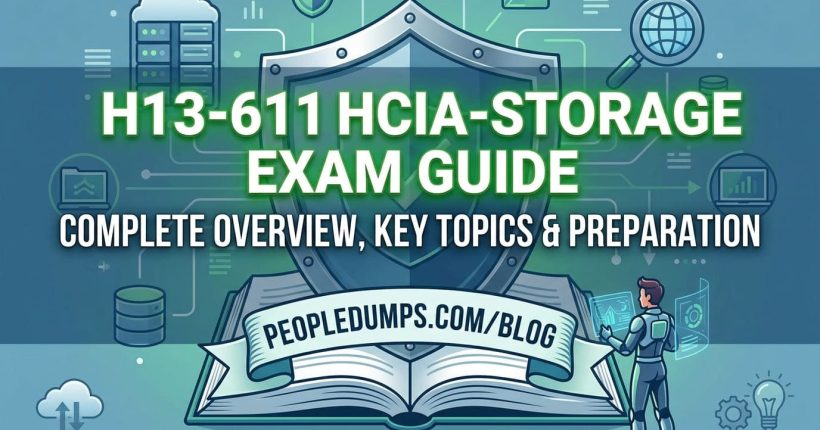
For students and IT professionals who want to develop these skills, the Huawei HCIA-Cloud Computing certification (H13-511) offers a structured introduction to enterprise cloud infrastructure and virtualization technologies.
This guide explores the HCIA-Cloud Computing exam, its technical objectives, the practical value of the certification, and a realistic preparation strategy. Whether you are studying information technology at university or beginning a career in infrastructure administration, the goal is to help you understand what you are learning and why it matters.
What Is HCIA-Cloud Computing Certification?
Table of Contents
ToggleHCIA-Cloud Computing stands for Huawei Certified ICT Associate – Cloud Computing. It is an associate-level certification within Huawei’s ICT professional certification framework.
The certification focuses on the fundamental technologies used to build and manage cloud computing infrastructure, with particular attention to Huawei virtualization and desktop cloud solutions.
Unlike training paths that concentrate primarily on consuming public cloud services, HCIA-Cloud Computing emphasizes the infrastructure behind virtualized environments. Candidates learn how physical resources are abstracted into virtual machines, how those resources are managed, and how virtual desktop services can be delivered to end users.
The H13-511 V5.5 examination includes four major areas:
- Cloud computing fundamentals and supporting IT technologies.
- Virtualization technologies and Huawei FusionCompute.
- Virtual desktop infrastructure and Huawei FusionAccess.
- Cloud computing trends and emerging technologies.
This makes the certification particularly relevant to people interested in enterprise infrastructure, private cloud environments, virtualization administration, and IT operations.
Students who want to explore the certification syllabus and related learning materials can review the H13-511 HCIA-Cloud Computing exam preparation resources before creating their study plan.
HCIA-Cloud Computing H13-511 Exam Overview
Before creating a study plan, candidates should understand the examination format and the knowledge expected by Huawei.
The following information is based on Huawei’s published HCIA-Cloud Computing V5.5 examination outline.
| Exam Information | Details |
|---|---|
| Certification Name | HCIA-Cloud Computing |
| Certification Level | Associate |
| Exam Code | H13-511 |
| Referenced Version | V5.5 |
| Exam Duration | 90 Minutes |
| Passing Score | 600 / 1000 |
| Published Exam Fee | USD 200 |
| Exam Language | English (V5.5 English outline) |
| Question Formats | Single-answer, multiple-answer, true/false, fill-in-the-blank, and drag-and-drop questions |
| Certification Vendor | Huawei |
Important: These details refer to Huawei’s published V5.5 examination outline dated October 31, 2023. Exam versions, languages, fees, and registration options can change. Candidates should confirm the currently available examination information through Huawei’s official certification portal or Pearson VUE before scheduling.
What Does the H13-511 Exam Cover?
The HCIA-Cloud Computing exam is not simply a collection of cloud terminology questions. It evaluates whether candidates understand the technologies required to deploy and operate a virtualized environment.
Huawei’s V5.5 outline assigns the following weighting to the examination objectives:
| Knowledge Area | Exam Weight |
|---|---|
| Cloud Computing Basics | 5% |
| Server Basics | 2% |
| Storage Technology Basics | 5% |
| Network Technology Basics | 10% |
| Operating System Basics | 4% |
| Virtualization | 4% |
| Huawei Virtualization Platform | 6% |
| Huawei Virtualization Platform Management and Usage | 25% |
| Overview of FusionAccess | 5% |
| FusionAccess Planning and Deployment | 8% |
| FusionAccess Service Provisioning | 17% |
| FusionAccess Features and Management | 5% |
| Cloud Computing Trends | 4% |
Two areas deserve particular attention: FusionCompute platform management and FusionAccess service provisioning. Together, these account for 42% of the published examination weighting.
However, these subjects rely on foundational networking, storage, and virtualization knowledge. It is much easier to understand platform configuration once you know what the underlying resources are doing.
If you are organizing your revision by topic, the Huawei H13-511 study resources page can serve as an additional reference alongside the official examination objectives.
1. Cloud Computing Fundamentals: Building the Right Foundation
A good starting point is to understand the relationship between traditional IT infrastructure and cloud computing.
In a traditional environment, an organization might deploy a dedicated physical server for each application. This can result in low hardware utilization, complicated maintenance, and slow provisioning.
Virtualization introduces a layer between physical hardware and the operating systems that consume its resources. Multiple virtual machines can share the computing capacity of one physical host while remaining logically isolated.
Cloud computing builds on these capabilities by introducing standardized services, automation, resource pooling, and flexible provisioning.
Understanding Cloud Service Models
Three service models provide a useful framework for understanding how cloud technologies are delivered.
- Infrastructure as a Service (IaaS): Provides virtual computing, storage, and networking resources. Customers typically manage operating systems and applications.
- Platform as a Service (PaaS): Provides application development and runtime platforms while abstracting much of the underlying infrastructure management.
- Software as a Service (SaaS): Delivers complete applications that users access without managing the underlying infrastructure.
For the HCIA-Cloud Computing exam, IaaS concepts are especially useful because virtualization platforms provide many of the infrastructure capabilities used by private cloud environments.
Private, Public, and Hybrid Clouds
Candidates should also distinguish between different cloud deployment models.
A public cloud provides services through infrastructure operated by a cloud provider. A private cloud is dedicated to a particular organization, while a hybrid cloud combines distinct environments with mechanisms that enable data or application portability.
It is worth remembering that virtualization and cloud computing are related but not identical. Running several virtual machines on one server does not automatically create a complete cloud platform.
Cloud environments generally introduce additional capabilities such as self-service provisioning, resource pooling, elasticity, and measured service.
2. Server, Storage, Network, and Operating System Fundamentals
One common mistake among beginning cloud engineers is concentrating on management interfaces without learning the infrastructure underneath them.
Virtualization software cannot eliminate the importance of physical resources. Every virtual machine ultimately depends on processors, memory, storage devices, and network connectivity.
Server Architecture and Resource Allocation
Candidates should understand CPU cores, memory capacity, physical network interfaces, and the basic architecture of enterprise servers.
Consider a host running ten virtual machines. The hypervisor allocates CPU time and memory to those workloads, but their combined demand still depends on the physical host’s available resources.
This introduces important operational concepts such as resource contention, workload consolidation, and capacity planning.
Storage Technologies
Storage knowledge is necessary for understanding how virtual machine disks are provisioned and accessed.
Important concepts include:
- Block storage and file storage.
- Direct-attached storage (DAS).
- Network-attached storage (NAS).
- Storage area networks (SAN).
- Storage capacity, latency, throughput, and IOPS.
For example, a virtual machine with sufficient CPU and memory may still perform poorly when its storage subsystem experiences excessive latency.
Recognizing the difference between compute bottlenecks and storage bottlenecks is an essential infrastructure troubleshooting skill.
Networking Fundamentals
The H13-511 exam also includes basic networking topics such as IP addressing, switching, and routing.
Pay attention to concepts such as:
- IPv4 addressing and subnet masks.
- VLANs and Layer 2 switching.
- Default gateways and routing.
- Physical and virtual network interfaces.
- Communication between virtual machines and external networks.
A practical exercise is to explain how a packet travels from one virtual machine to another virtual machine located on a different physical host.
That simple scenario brings together virtual switching, physical network connectivity, IP configuration, and routing principles.
Linux Fundamentals
Basic Linux administration is valuable for anyone working with cloud infrastructure.
For exam preparation, candidates should be comfortable with file-system navigation, system information, network configuration, and common administrative commands.
Even when day-to-day work is performed through a graphical management interface, understanding Linux provides a stronger technical foundation for troubleshooting.
3. Virtualization Technologies and Huawei FusionCompute
Virtualization is one of the most important topics in the HCIA-Cloud Computing certification.
At its core, virtualization allows computing resources to be abstracted from physical hardware and presented as logical resources.
What Is a Hypervisor?
A hypervisor is the software layer responsible for creating and managing virtual machines.
It enables multiple guest operating systems to share physical computing resources while maintaining a degree of isolation between workloads.
Hypervisors are commonly divided into two categories:
- Type 1 hypervisors: Run directly on physical hardware and are commonly used in enterprise virtualization environments.
- Type 2 hypervisors: Run on top of a host operating system and are frequently used for desktop virtualization and development environments.
Understanding this distinction helps explain why enterprise virtualization architectures differ from simply running a virtual machine on a personal laptop.
Introduction to Huawei FusionCompute
Huawei FusionCompute is Huawei’s virtualization platform for managing virtualized computing, storage, and networking resources.
It enables administrators to create and manage virtual machines, organize infrastructure resources, and perform operational tasks within a centralized management environment.
For H13-511 candidates, the important goal is not merely memorizing product terminology. It is understanding how the platform supports virtual machine lifecycle management.
Typical administration activities include:
- Creating and configuring virtual machines.
- Allocating virtual CPUs and memory.
- Attaching virtual disks and virtual network interfaces.
- Managing hosts and clusters.
- Configuring virtual networking and storage resources.
- Monitoring resource utilization and infrastructure health.
- Understanding supported migration and availability features.
Compute Virtualization
Compute virtualization allows multiple workloads to share the processing and memory resources of physical servers.
When studying this subject, focus on the relationship between virtual CPUs, physical CPUs, memory allocation, and workload performance.
A virtual machine configured with four vCPUs does not necessarily have four dedicated physical CPU cores. Scheduling and resource sharing determine how physical processing capacity is delivered to the virtual machine.
Storage Virtualization
Storage virtualization provides logical storage resources to virtual machines without requiring guest operating systems to manage the underlying physical storage architecture directly.
Candidates should understand how virtual disks relate to datastores or storage resources, and how availability and performance can depend on storage design.
Network Virtualization
Virtual networking enables communication between virtual machines and physical networks.
For example, two virtual machines connected to the same virtual network may communicate without sending every packet through an external physical switch, depending on their placement and network configuration.
Understanding virtual interfaces, virtual switching, VLANs, and uplink connections is particularly helpful when diagnosing connectivity problems.
Why Hands-On Experience Matters
FusionCompute questions can become confusing when candidates study only definitions.
A more effective approach is to connect every concept with an administrative task: What happens when a virtual machine is created? Which resource provides its storage? How does its network adapter connect to the rest of the infrastructure?
Even a small virtualization lab using accessible learning tools can make these architectural relationships much easier to understand.
As part of your revision, consider combining hands-on virtualization exercises with the HCIA-Cloud Computing H13-511 preparation materials to review the key technologies covered by the certification.
4. Huawei FusionAccess and Virtual Desktop Infrastructure
While FusionCompute focuses on infrastructure virtualization, Huawei FusionAccess introduces candidates to desktop cloud technologies.
Desktop virtualization allows organizations to host desktop environments centrally and provide users with remote access from endpoint devices.
This approach is particularly useful in scenarios where centralized management, standardized environments, and controlled access are important.
Understanding Virtual Desktop Infrastructure
Virtual Desktop Infrastructure (VDI) hosts desktop operating system instances in a centralized infrastructure environment.
Instead of running every application and desktop workload on a user’s local computer, processing and storage can be managed centrally while the user interacts with a remote desktop session.
Common use cases include:
- University computer laboratories.
- Enterprise office environments.
- Call centers and shared workspaces.
- Remote-access environments.
- Organizations with standardized desktop requirements.
FusionAccess Architecture
The HCIA-Cloud Computing syllabus expects candidates to understand FusionAccess components, application scenarios, planning considerations, and deployment concepts.
Important topics include desktop access, user authentication, service components, desktop resources, and the management processes required to operate a virtual desktop environment.
The official outline also includes Huawei Desktop Protocol (HDP), making it important to understand the purpose of remote desktop display and interaction protocols.
Desktop Provisioning and Templates
One of the most practical FusionAccess topics is service provisioning.
Imagine a university that needs to provide standardized desktops for 200 students. Configuring every environment manually would require considerable effort.
Desktop virtualization can simplify this process through standardized desktop images, templates, resource allocation, and centralized provisioning workflows.
Candidates should understand the role of templates, desktop assignment, provisioning processes, and administrative policies.
FusionAccess Management and Operations
Deploying a desktop cloud is only the beginning. Administrators must also maintain the service after users start working.
Relevant skills include policy management, desktop service adjustments, resource monitoring, and general operations and maintenance.
These concepts also reveal an important difference between infrastructure virtualization and desktop service delivery: a properly functioning virtual machine does not automatically guarantee a satisfactory user experience.
Network performance, desktop configuration, access protocols, and available infrastructure capacity all influence the quality of a virtual desktop service.
5. Cloud Computing Trends and OpenStack
The final part of the H13-511 syllabus introduces broader trends in cloud computing.
Although this portion accounts for a smaller percentage of the examination, it helps candidates understand where traditional virtualization technologies fit within modern infrastructure architectures.
Introduction to OpenStack
OpenStack is an open-source cloud infrastructure platform commonly associated with managing pools of compute, storage, and networking resources.
For beginners, it is useful to recognize that a virtualization platform and a cloud management platform can serve different purposes.
A hypervisor operates virtual machines, while cloud management systems can coordinate resource provisioning and infrastructure services across larger environments.
Emerging Cloud Technologies
Cloud infrastructure continues to evolve alongside containers, automation, hybrid cloud technologies, and cloud-native application architectures.
These developments do not make virtualization knowledge obsolete. Instead, they expand the ways organizations package, deploy, and operate workloads.
Understanding the infrastructure layer gives new engineers a stronger foundation for learning modern automation and orchestration technologies later.
Is HCIA-Cloud Computing Certification Worth It?
The practical value of an IT certification depends on your career goals, the technologies used by potential employers, and the experience you bring to the role.
HCIA-Cloud Computing can be a worthwhile starting point for candidates who want to understand enterprise virtualization or work in Huawei-oriented infrastructure environments.
Benefits for Students and Beginners
For students, the certification provides a clear learning structure. Instead of studying unrelated cloud topics, candidates follow a defined progression from foundational infrastructure to virtualization management and desktop cloud operations.
It also introduces technologies that may not be available in a typical beginner programming course, such as centralized virtualization management and enterprise desktop infrastructure.
Benefits for IT Support and Infrastructure Engineers
For IT professionals, the certification can help bridge the gap between general technical support and infrastructure administration.
Someone who already understands operating systems and basic networking may use HCIA-Cloud Computing preparation to develop a broader understanding of virtualized environments.
This can be valuable when applying for junior infrastructure, cloud operations, virtualization support, or technical support roles.
What the Certification Does Not Guarantee
Passing H13-511 demonstrates examination-level knowledge, but it does not guarantee employment or replace practical infrastructure experience.
Employers may also expect troubleshooting ability, scripting knowledge, communication skills, and familiarity with their existing technology stack.
For candidates seeking long-term career development, the strongest combination is certification knowledge supported by practical laboratory work and documented technical projects.
HCIA-Cloud Computing vs. HCIA-Cloud Service
These two Huawei certification names can be confusing, particularly for beginners.
Although both relate to cloud technologies, they have different areas of emphasis.
| Comparison | HCIA-Cloud Computing | HCIA-Cloud Service |
|---|---|---|
| Primary Focus | Virtualization and cloud infrastructure | Cloud services and their usage |
| Core Technologies | FusionCompute, FusionAccess, infrastructure fundamentals | Cloud compute, storage, network, and other managed services |
| Typical Learning Goal | Understand and operate virtualized infrastructure | Understand and use cloud service offerings |
| Best Suited For | Aspiring virtualization and infrastructure engineers | Aspiring cloud service and cloud operations professionals |
If your main interest is the infrastructure that supports private cloud environments, HCIA-Cloud Computing may be the more relevant foundation.
If you are primarily interested in deploying resources through a cloud provider’s services, the HCIA-Cloud Service track may align more closely with your objectives.
How Difficult Is the H13-511 Exam?
HCIA-Cloud Computing is an associate-level certification, but that does not mean every topic is easy for someone new to IT.
The perceived difficulty depends heavily on previous experience.
A networking student may find IP addressing and VLAN concepts familiar but struggle with FusionAccess provisioning. Someone who has managed virtual machines may understand hypervisor concepts but have limited experience with Huawei’s management workflows.
In my view, the main challenge for beginners is understanding how the different infrastructure components interact.
For example, creating a virtual machine involves more than selecting CPU and memory settings. The virtual machine also requires storage, network connectivity, and an operating system configured to communicate with the surrounding environment.
Once candidates understand these relationships, many platform-specific concepts become much easier to learn.
How to Prepare for HCIA-Cloud Computing H13-511
A productive preparation strategy combines the official examination outline, foundational technical learning, practical exercises, and knowledge assessment.
Step 1: Review the Official Exam Objectives
Start by reading Huawei’s examination outline for the version you intend to take.
Identify the major knowledge areas and their weightings. Do not assume that an older training guide covers every objective of a newer examination version.
Use the objectives as a checklist throughout your preparation.
Step 2: Strengthen Your IT Fundamentals
Before going deeply into Huawei products, review:
- IP addressing, subnetting, VLANs, and routing.
- Server CPU and memory architecture.
- Common storage technologies and protocols.
- Basic Linux administration.
- Cloud computing service and deployment models.
These topics provide the vocabulary and architectural understanding needed for the rest of the syllabus.
Step 3: Study FusionCompute Systematically
Move from virtualization principles to platform management.
Focus on how compute, storage, and networking resources are organized and assigned to virtual machines.
Whenever possible, work through supported lab exercises involving virtual machine creation, configuration, resource management, and monitoring.
Step 4: Understand FusionAccess Workflows
Study FusionAccess from an operational perspective.
Begin with its architecture and components, then move to deployment planning, desktop templates, service provisioning, and ongoing management.
Try to describe the complete journey from preparing infrastructure resources to delivering a working virtual desktop to an end user.
Step 5: Test Your Understanding
After completing each topic, use legitimate practice exercises and self-assessment questions to identify weaknesses.
When reviewing an incorrect answer, investigate the technical explanation rather than memorizing a letter or response.
For example, if a question concerns virtual networking, examine why one network configuration would allow communication while another would not.
This approach develops skills that remain useful after the examination.
For additional topic review, you can explore the H13-511 exam preparation page alongside official Huawei training and practical lab exercises.
A Practical Four-Week H13-511 Study Plan
Students with basic networking and operating system knowledge may find a four-week preparation schedule manageable. Complete beginners may need additional time.
| Week | Study Focus | Suggested Activities |
|---|---|---|
| Week 1 | Cloud and IT Fundamentals | Review cloud models, servers, Linux, storage, IP networking, and VLANs. |
| Week 2 | Virtualization and FusionCompute | Study hypervisors, virtual machines, virtual storage, networking, and management workflows. |
| Week 3 | FusionAccess and Desktop Cloud | Review architecture, components, templates, desktop provisioning, and service management. |
| Week 4 | Revision and Practice | Study cloud trends, revisit weak areas, complete practice exercises, and perform final review. |
This schedule is a starting point rather than a guarantee of examination readiness.
A better measure of progress is whether you can explain technical concepts without relying entirely on memorized definitions.
Common Mistakes to Avoid During H13-511 Preparation
Studying Only Exam Questions
Practice questions can reveal gaps in knowledge, but using them as the sole preparation resource creates a fragile understanding of technical concepts.
Learn the reasoning behind each answer and relate it to actual infrastructure behavior.
Ignoring Networking and Storage
Cloud platforms depend on network communication and storage access. Weaknesses in these fundamentals can make virtualization and desktop cloud topics unnecessarily difficult.
Confusing FusionCompute with FusionAccess
Remember their different roles: FusionCompute provides virtualization infrastructure management capabilities, while FusionAccess focuses on delivering and managing virtual desktop services.
Using Outdated Exam Materials
Huawei certification technologies and examination versions may change over time.
Always compare your study resources against the official examination objectives associated with the version you have registered for.
Career Opportunities After HCIA-Cloud Computing
The certification can support an entry-level career path in several areas of enterprise IT infrastructure.
Potential roles include:
- Junior Cloud Infrastructure Engineer: Assists with virtualized resource configuration and infrastructure operations.
- Virtualization Support Engineer: Supports virtual machines, hosts, networking, and storage resources.
- IT Infrastructure Technician: Helps maintain servers, operating systems, and network-connected infrastructure.
- Cloud Operations Support Specialist: Monitors cloud-related infrastructure and assists with operational tasks.
- Desktop Virtualization Support Engineer: Helps manage virtual desktop environments and troubleshoot user access problems.
Actual job requirements vary by employer and region. Many positions require additional skills or practical experience beyond the certification itself.
What Should You Learn After HCIA-Cloud Computing?
Once you understand basic virtualization and cloud infrastructure, the next step depends on your interests.
Candidates interested in deeper enterprise cloud administration can explore Huawei’s professional-level cloud computing training paths, subject to the certifications currently offered.
Those interested in network infrastructure may benefit from studying routing, switching, network virtualization, and security fundamentals.
Linux administration, Python scripting, automation, containers, and cloud architecture are also valuable complementary skills.
The most effective career path is not necessarily the one with the largest number of certifications. It is the path that helps you build practical expertise in technologies you want to work with.
Frequently Asked Questions About HCIA-Cloud Computing
What is the H13-511 exam?
H13-511 is the examination code associated with Huawei HCIA-Cloud Computing certification. The V5.5 syllabus covers cloud fundamentals, virtualization, FusionCompute, FusionAccess, and cloud technology trends.
Is HCIA-Cloud Computing suitable for beginners?
Yes. It is an associate-level certification designed to develop foundational cloud computing and virtualization knowledge. However, familiarity with networking, servers, storage, and operating systems is helpful.
How long is the HCIA-Cloud Computing exam?
According to Huawei’s published V5.5 examination outline, the examination duration is 90 minutes.
What is the passing score for H13-511?
The published HCIA-Cloud Computing V5.5 examination outline specifies a passing score of 600 out of 1000.
How much does the H13-511 exam cost?
Huawei’s V5.5 exam outline lists a fee of USD 200. Candidates should verify the current registration price, taxes, and regional availability before booking.
Does H13-511 include FusionCompute?
Yes. FusionCompute and Huawei virtualization platform management are major parts of the H13-511 V5.5 examination objectives.
Does HCIA-Cloud Computing cover FusionAccess?
Yes. The examination includes FusionAccess architecture, planning, deployment, desktop service provisioning, and management.
Do I need practical experience before taking H13-511?
Professional work experience is not necessarily required to begin studying, but practical exercises are strongly recommended. Hands-on learning helps candidates understand how virtualized infrastructure behaves.
Can HCIA-Cloud Computing help me find an IT job?
The certification can strengthen your knowledge and demonstrate commitment to learning cloud infrastructure. Its employment value depends on local demand, the employer’s technology environment, and your additional skills and experience.
How long should I study for the H13-511 exam?
Preparation time varies. A learner who already understands networking, Linux, and virtualization may progress faster than someone beginning with no infrastructure background. A structured four-week plan can be a useful starting point, but readiness should be based on demonstrated understanding rather than study duration alone.
Final Thoughts: Is H13-511 a Good Starting Point for Cloud Computing?
For students and early-career IT professionals, HCIA-Cloud Computing offers a practical introduction to the infrastructure concepts behind enterprise cloud environments.
Its strongest feature is the combination of foundational IT knowledge and platform-specific technologies such as Huawei FusionCompute and FusionAccess.
Rather than treating cloud computing as an abstract collection of services, the certification encourages learners to examine the computing, networking, storage, and management technologies that make virtualized infrastructure possible.
My recommendation is to approach H13-511 as an opportunity to build technical foundations, not merely as an examination to complete.
Learn how the components interact, practice configuration tasks whenever possible, and develop the habit of explaining why an infrastructure design works.
Those skills will continue to be valuable long after you have passed the certification exam.
If you are ready to organize your next steps, visit the HCIA-Cloud Computing H13-511 certification preparation page for additional study resources to support your learning journey.
Official References and Recommended Learning Resources
The following resources provide additional information about Huawei certification, cloud computing concepts, and examination registration.
-
Huawei Enterprise – ICT Certification and Training:
Huawei Talent Development.
Official Huawei training and certification information. -
Huawei ICT Academy:
Huawei ICT Academy.
Educational programs and ICT learning opportunities. -
Pearson VUE – Huawei Certification:
Huawei Exam Registration.
Examination registration and scheduling information. -
NIST – The Definition of Cloud Computing:
NIST Special Publication 800-145.
Authoritative reference for cloud computing characteristics, service models, and deployment models. -
OpenStack Documentation:
OpenStack Official Documentation.
Technical documentation for open-source cloud infrastructure technologies. -
Huawei Cloud Learning:
Huawei Cloud Developer Institute.
Additional cloud learning materials and technical resources.
Editorial note: This article is an independent educational guide based on publicly available certification information. It is not affiliated with or endorsed by Huawei. Certification details and product features may change; always consult official documentation for current requirements.