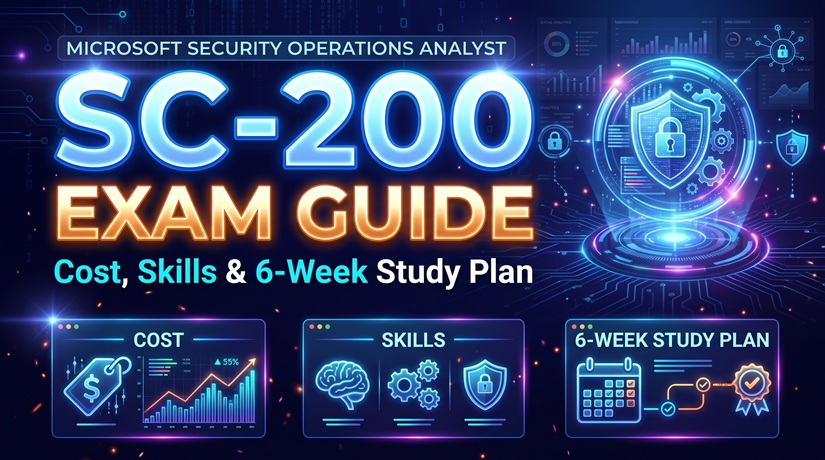
The SC-200 exam is Microsoft’s role-based certification exam for security operations analysts. It focuses on the skills required to investigate security incidents, detect threats, analyze security data, and respond to attacks using Microsoft Sentinel, Microsoft Defender XDR, and related Microsoft security technologies.
If you’re preparing for the SC-200 exam in 2026, understanding the technology is only half the challenge. You also need to know how Microsoft’s security tools work together in a real security operations center (SOC).
Consider a typical incident: an employee receives a suspicious email, signs in from an unfamiliar location, and shortly afterward, their computer starts running an unexpected PowerShell process.
Is it a false positive, a compromised account, or an ongoing attack?
A security operations analyst must connect these events, examine the evidence, determine the potential impact, and recommend the right response. That’s the kind of thinking SC-200 is designed to assess.
This SC-200 exam guide explains the certification requirements, 2026 exam objectives, essential Microsoft security technologies, KQL fundamentals, exam difficulty, career value, and a realistic six-week study plan.
For additional information about the certification, you can also visit our SC-200 Microsoft Security Operations Analyst page.
What Is the SC-200 Exam?
Table of Contents
ToggleThe SC-200 exam, officially titled Microsoft Security Operations Analyst, is the examination required to earn the Microsoft Certified: Security Operations Analyst Associate credential.
Microsoft classifies this certification as intermediate-level. It is intended for professionals who monitor, investigate, and respond to security threats in cloud, hybrid, and on-premises environments.
Unlike a general cybersecurity fundamentals exam, SC-200 concentrates on operational security work. Candidates are expected to understand how to investigate incidents, configure detections, hunt for threats, and use Microsoft security services effectively.
In practice, these activities involve three connected responsibilities:
- Detection: Identifying suspicious activity through alerts, analytics rules, and security telemetry.
- Investigation: Analyzing evidence to determine whether activity represents a genuine threat.
- Response: Taking appropriate action to contain, remediate, and document security incidents.
The exam also examines your ability to configure and operate the environment that makes these activities possible.
That means SC-200 requires more than remembering definitions. You need to understand which tool to use, what evidence to examine, and how to make sound security decisions.
SC-200 Exam 2026: Cost, Duration, and Passing Score
Before creating your study schedule, it’s worth reviewing the official SC-200 exam requirements.
| Exam Information | SC-200 Details |
|---|---|
| Exam Code | SC-200 |
| Exam Name | Microsoft Security Operations Analyst |
| Certification | Microsoft Certified: Security Operations Analyst Associate |
| Certification Level | Intermediate |
| Assessment Duration | 100 minutes |
| Passing Score | 700 or higher |
| Exam Provider | Pearson VUE |
| Exam Price | Varies by country or region |
| Certification Validity | 12 months |
| Renewal | Free online assessment for eligible certification holders |
| Required Prerequisite Exam | None |
What Is the SC-200 Passing Score?
You need a score of 700 or higher to pass the SC-200 exam.
However, Microsoft uses a scaled scoring system. A score of 700 does not necessarily mean you answered exactly 70% of the questions correctly.
Question formats and scoring may vary. Rather than targeting a specific number of correct answers, focus on understanding the full exam blueprint.
How Much Does the SC-200 Exam Cost?
The SC-200 exam fee depends on the country or region where you schedule it. Taxes, available offers, and local pricing policies can also affect the final amount.
For the latest SC-200 exam price, visit the official Microsoft certification page and check the scheduling options for your location.
Does the SC-200 Certification Expire?
Yes. The Microsoft Security Operations Analyst Associate certification follows a 12-month renewal cycle.
Microsoft allows eligible certification holders to renew through a free online assessment on Microsoft Learn. Renewal eligibility begins within the final six months before the certification expires.
This approach reflects a simple reality: security technology changes quickly, and professional certifications need to evolve with it.
SC-200 Exam Objectives and Skills Measured in 2026
Before diving into the individual exam domains, it helps to build a clear understanding of the certification and its learning requirements. Our SC-200 certification course overview provides an additional resource for candidates planning their preparation. Use it alongside Microsoft’s official exam objectives to organize your studies and focus on the skills that matter most.
Microsoft updates its role-based exams to reflect changing job responsibilities, security technologies, and product capabilities.
Important update: Microsoft has announced changes to the English-language SC-200 exam effective October 21, 2026. The following domain weightings come from that published upcoming blueprint.
| SC-200 Skill Area | Weighting |
|---|---|
| Manage a security operations environment | 40–45% |
| Respond to security incidents | 35–40% |
| Perform threat hunting | 20–25% |
If your exam is scheduled before October 21, or you are taking a localized version, confirm the applicable exam objectives because update dates may differ.
You can review the full requirements in the official Microsoft SC-200 study guide.
1. Manage a Security Operations Environment (40–45%)
This is the largest domain in the published October 2026 exam blueprint.
It focuses on building and maintaining the environment that security analysts use to monitor threats.
Topics include:
- Configuring Microsoft Defender XDR alert notifications and automated response.
- Managing Microsoft Defender for Endpoint settings and policies.
- Configuring Microsoft Sentinel workspaces and roles.
- Understanding data collection, ingestion, and retention.
- Connecting Windows, Azure, Syslog, and supported third-party data sources.
- Creating analytics rules, custom detections, and automation workflows.
- Using MITRE ATT&CK to evaluate detection coverage.
A typical exam scenario might ask you to identify the most suitable data connector or configure a detection rule for a specific monitoring requirement.
The important point is understanding how a configuration supports a security objective, not merely where a setting appears in the interface.
2. Respond to Security Incidents (35–40%)
Incident response is central to the security operations analyst role.
In this domain, you need to recognize how different Microsoft security products help investigate and remediate threats.
You should be comfortable with:
- Investigating Microsoft Defender XDR incidents and alerts.
- Reviewing endpoint activity and device timelines.
- Investigating suspicious identity and sign-in activity.
- Responding to email threats and cloud application alerts.
- Examining Microsoft Sentinel incidents.
- Using Microsoft Purview auditing capabilities during investigations.
- Understanding automated investigation and response actions.
- Applying Microsoft Security Copilot and AI-assisted investigation capabilities appropriately.
Incident-response questions are often scenario-driven. You may be given a security alert, a short incident description, and several possible actions.
The challenge is deciding which action is appropriate for the evidence presented.
3. Perform Threat Hunting (20–25%)
Threat hunting is different from responding to an alert that has already been generated.
Instead, analysts actively investigate signs of potentially malicious activity that automated detections may have missed.
This domain emphasizes:
- Writing and interpreting Kusto Query Language (KQL) queries.
- Using Microsoft Defender XDR Advanced Hunting.
- Selecting appropriate hunting tables.
- Analyzing threat intelligence and suspicious patterns.
- Creating and managing Microsoft Sentinel hunting queries.
- Investigating relationships between entities and attack paths.
- Understanding relevant Sentinel data lake and hunting capabilities.
For many candidates, this is the section that requires the most hands-on practice.
The good news is that learning KQL becomes easier once you understand its basic query operators and practice them consistently.
Key Microsoft Security Technologies Covered by the SC-200 Exam
The SC-200 exam draws on several Microsoft security products. Learning the purpose of each technology will make the entire certification easier to understand.
Start with the differences among the tools, then study how they integrate during an investigation.
| Technology | Primary Purpose | What to Study |
|---|---|---|
| Microsoft Defender XDR | Extended detection and response | Incidents, alerts, correlation, investigation, response |
| Microsoft Sentinel | SIEM and security operations | Data connectors, analytics, hunting, automation |
| Microsoft Defender for Endpoint | Endpoint protection and investigation | Device timelines, alerts, endpoint response |
| Microsoft Entra ID | Identity and access management | Sign-in logs, risky identities, account investigation |
| Microsoft Defender for Cloud | Cloud security posture and workload protection | Cloud workload alerts, threat investigation |
| Microsoft Purview | Data security, governance, and compliance | Audit, eDiscovery, data security investigations |
| Microsoft Security Copilot | AI-assisted security operations | Incident summaries, investigation assistance, validation |
Microsoft Defender XDR: Investigating Connected Threats
Microsoft Defender XDR brings together security signals from supported endpoint, identity, email, and cloud application protection services.
Imagine that an attacker sends a phishing email and successfully steals an employee’s credentials. Shortly afterward, suspicious activity appears on the employee’s device.
An analyst needs to determine whether the email, identity alert, and device activity are part of the same incident.
Defender XDR helps analysts investigate related security evidence through a unified experience.
For SC-200 preparation, concentrate on incident queues, alert correlation, evidence investigation, device timelines, Advanced Hunting, and available response actions.
Microsoft Sentinel: SIEM, Analytics, and Automation
Microsoft Sentinel is a cloud-native SIEM and security operations platform that can collect and analyze information from different security data sources.
It supports centralized monitoring, threat detection, security investigations, proactive hunting, and response automation.
Some of the most important SC-200 topics include:
- Log Analytics workspaces and data collection.
- Data connectors and supported log formats.
- KQL queries for security investigations.
- Scheduled and near-real-time analytics rules.
- Threat hunting and incident management.
- Automation rules and Azure Logic Apps playbooks.
Microsoft Sentinel and Defender XDR are complementary technologies. They can work together as part of a unified security operations experience, but they do not perform identical roles.
2026 technology note: Microsoft Sentinel is available in the Microsoft Defender portal. Microsoft has announced that Sentinel will no longer be supported in the Azure portal after March 31, 2027.
This matters for exam preparation because older tutorials may show interfaces that are being replaced.
See Microsoft Sentinel in the Defender portal for current guidance.
Microsoft Entra ID: Investigating Identity Threats
Not every security incident begins with malicious software.
Many attacks involve compromised credentials, unusual sign-ins, or unauthorized access to corporate applications.
Microsoft Entra ID provides identity and access management services, including information useful for investigating suspicious account activity.
SC-200 candidates should understand sign-in evidence, compromised identities, identity risk signals, and how account-related events contribute to an investigation.
Microsoft Security Copilot: Useful but Not Infallible
Microsoft Security Copilot introduces AI assistance into security operations workflows.
Depending on product integration, configuration, and licensing, these capabilities can help analysts summarize incidents, interpret security information, and support investigations.
However, AI-generated results must be checked against actual security evidence.
A competent analyst still needs to validate findings, understand the environment, and follow approved response procedures.
How Security Analysts Investigate a Real-World Incident
One of the best ways to prepare for SC-200 is to think through an investigation rather than study every product separately.
Consider this hypothetical security incident.
Scenario: A Suspicious Sign-In Followed by Endpoint Activity
A company receives several related security signals:
- An employee receives a suspicious email containing a sign-in link.
- The employee’s account records an unusual authentication event.
- A workstation associated with the employee runs an unexpected PowerShell process.
- Another alert suggests that the account may have accessed resources outside its usual pattern.
At this point, the analyst should not assume that every event represents confirmed malicious activity.
The appropriate response is to investigate the evidence systematically.
Step 1: Review the Initial Alert
Begin with the alert or incident details in the appropriate Microsoft security portal.
Identify the affected user, device, event times, detection source, and available evidence.
Check whether other alerts are associated with the same entities.
Step 2: Investigate Account Activity
Review relevant Microsoft Entra ID sign-in logs and identity-related alerts.
Look for suspicious sign-in patterns, unfamiliar devices, unusual applications, or evidence suggesting that an account was accessed without authorization.
Remember that an unfamiliar IP address alone does not prove that an account has been compromised.
Step 3: Examine Endpoint Evidence
Use Microsoft Defender for Endpoint, where available, to investigate the device timeline and relevant process activity.
Determine what launched PowerShell, which commands were executed, and whether related suspicious activity occurred.
Administrative scripts are common in legitimate environments, so context matters.
Step 4: Correlate Events
Compare the timeline of the email, authentication events, and endpoint activity.
Use Microsoft Defender XDR and Microsoft Sentinel telemetry to determine whether the events may represent different stages of the same attack.
Step 5: Contain and Document
If the evidence supports an active threat, follow the organization’s incident response procedures.
Depending on authorization, impact, and the situation, actions may include isolating an affected endpoint, revoking compromised sessions, or initiating additional remediation.
Document the evidence, actions taken, and final assessment.
Why this matters for SC-200: The exam evaluates your ability to choose suitable investigation and response methods. Understanding the sequence of a security investigation helps you reason through scenario-based questions.
SC-200 Exam KQL Practice: A Beginner-Friendly Example
Kusto Query Language is one of the most useful technical skills for the SC-200 exam.
KQL allows security analysts to search and analyze large volumes of security telemetry. It is commonly used in Microsoft Sentinel and Microsoft Defender XDR Advanced Hunting, although their schemas and available tables are not identical.
You do not need years of programming experience to learn the basics.
Start with these operators:
where— Filters records based on conditions.project— Selects specific columns.summarize— Aggregates data into meaningful results.count()— Counts matching records.bin()— Groups values into defined intervals.join— Combines information from related datasets.sortororder by— Arranges query results.
KQL Example: Find Repeated Failed Windows Logons
Suppose you want to identify accounts that generated multiple failed Windows logon events within a one-hour interval.
In a Microsoft Sentinel workspace collecting the relevant Windows Security events into the SecurityEvent table, you could use:
SecurityEvent
| where TimeGenerated >= ago(24h)
| where EventID == 4625
| where isnotempty(Account)
| summarize
    FailedAttempts = count(),
    AffectedHosts = dcount(Computer)
    by Account, TimeWindow = bin(TimeGenerated, 1h)
| where FailedAttempts >= 10
| order by FailedAttempts desc
This query performs the following operations:
- Reads records from the
SecurityEventtable. - Filters events to the previous 24 hours.
- Selects Windows Event ID 4625, which represents a failed logon.
- Excludes records without an account value.
- Counts failures and estimates the number of distinct affected computers for each account and one-hour interval.
- Returns groups with at least 10 failed attempts.
- Displays the groups with the highest counts first.
The threshold of 10 is only for demonstration. In a production environment, appropriate thresholds depend on the organization’s systems, users, authentication patterns, and detection requirements.
How Should an Analyst Interpret the Results?
Repeated failed logons can indicate password guessing or other suspicious behavior, but they can also result from expired credentials, incorrectly configured services, or legitimate user mistakes.
A useful follow-up investigation might examine successful authentication events, logon types, source systems, device activity, and historical behavior.
Also remember that the query requires the relevant events to be collected. No returned rows does not prove that no attack occurred.
The important distinction is between detecting an unusual pattern and confirming a security incident.
For further KQL practice, use Microsoft’s Write Your First Query with KQL training module.
How Difficult Is the SC-200 Exam?
The SC-200 exam is moderately challenging for candidates with existing Microsoft security experience and can be considerably harder for complete beginners.
The difficulty comes from the breadth of the exam and the requirement to apply technical knowledge to operational scenarios.
For example, a question may require you to distinguish among:
- An analytics rule that detects suspicious activity.
- A hunting query used to investigate a possible threat.
- An automation rule used to manage incident handling.
- A playbook used to automate specific response actions.
All four concepts are related, but they serve different purposes.
The same is true for Microsoft Defender XDR, Microsoft Sentinel, Defender for Endpoint, and Defender for Cloud.
If you only memorize feature names, these scenarios can become confusing.
A more reliable strategy is to study each capability through three questions:
- What security problem does this capability solve?
- What data or permissions does it require?
- When should an analyst choose it over another option?
It is entirely possible to understand a question’s terminology yet still select the wrong answer because the operational context was overlooked.
That is why hands-on investigation practice is so valuable during SC-200 exam preparation.
SC-200 Exam Study Plan: How to Prepare in Six Weeks
A good SC-200 exam study plan should combine official documentation, technical concepts, practical exercises, and readiness checks.
The following six-week approach is designed for students and junior IT professionals who already understand basic networking, Windows administration, and cloud computing concepts.
If these topics are completely unfamiliar, allow additional time for foundational learning.
| Week | Study Focus | Practical Goal |
|---|---|---|
| Week 1 | Security operations fundamentals | Understand alerts, incidents, SIEM, XDR, and MITRE ATT&CK |
| Week 2 | Microsoft Defender XDR | Learn incident investigation and endpoint response |
| Week 3 | Microsoft Sentinel | Understand data ingestion, analytics, and automation |
| Week 4 | KQL and threat hunting | Build and interpret security queries |
| Week 5 | Incident response scenarios | Investigate multi-stage threats across Microsoft services |
| Week 6 | Revision and practice assessment | Identify weak areas and validate exam readiness |
Week 1: Understand Security Operations
Start with the fundamentals of a SOC.
Learn how alerts are generated, how analysts investigate incidents, and how detection systems help organizations identify threats.
Focus on SIEM, XDR, EDR, SOAR, threat intelligence, and the incident response lifecycle.
Study the MITRE ATT&CK framework to understand how common attacker behaviors are organized.
Weekly objective: Explain the difference between a security event, an alert, and an incident.
Week 2: Practice Microsoft Defender XDR
Explore incidents, alert details, evidence, device timelines, and automated investigation capabilities.
Study how different Microsoft Defender products contribute information to a broader investigation.
Work through a hypothetical compromised-account scenario and identify which data sources you would examine.
Weekly objective: Understand how to investigate a multi-stage security incident using Microsoft Defender technologies.
Week 3: Focus on Microsoft Sentinel
Study workspaces, data connectors, retention settings, analytics rules, incidents, and automation.
Understand the difference between collecting logs and using those logs to detect suspicious behavior.
Learn when automation rules and playbooks are appropriate.
Weekly objective: Describe how a security event moves from a connected data source into a detection and investigation workflow.
Week 4: Build KQL Confidence
Practice simple KQL queries every day.
Begin with filtering events, selecting columns, counting results, and grouping activity by time.
Gradually move to more complex queries and learn how to interpret results.
Do not rely entirely on copying examples. Try modifying query conditions and explaining the changes.
Weekly objective: Write and troubleshoot basic security investigation queries independently.
Week 5: Work Through Investigation Scenarios
Bring the previous topics together.
Study suspicious sign-ins, phishing alerts, unexpected endpoint processes, and cloud workload investigations.
For each scenario, identify the evidence, determine which Microsoft security technology is relevant, and describe an appropriate investigation sequence.
Weekly objective: Develop a repeatable approach to incident triage, evidence analysis, and response.
Week 6: Review and Test Your Knowledge
Return to the official Microsoft SC-200 exam objectives and check your understanding of every domain.
Use Microsoft’s free practice assessment to identify weak topics.
Review incorrect answers carefully, particularly those involving product differences, permissions, KQL, and incident response workflows.
Explore the official exam sandbox to become familiar with the testing experience.
Weekly objective: Demonstrate consistent knowledge across all exam domains rather than relying on memorized answers.
You can also keep the SC-200 certification overview alongside your study checklist, while using Microsoft Learn as the authoritative source for current exam requirements.
Can You Prepare for SC-200 Without Expensive Training?
Yes. It is possible to begin SC-200 preparation using free Microsoft Learn resources and publicly available documentation.
Microsoft offers role-based learning paths, product documentation, practice assessments, and an exam sandbox.
These resources are especially valuable for students who do not have access to an enterprise Microsoft security environment.
Hands-on practice can improve your understanding, but it is important to consider licensing and cloud consumption costs.
If you use Azure resources for Microsoft Sentinel exercises, data ingestion, retention, automation, and related services may create charges.
Always review the Microsoft Sentinel billing documentation before enabling paid resources.
For students, a small and well-documented lab is often more useful than a large environment with unfamiliar configurations.
For example, a simple investigation exercise that collects Windows Security events, analyzes failed logons, and records the results can demonstrate several important concepts.
What matters is understanding the data and the investigation, not building the most complicated lab.
Is the SC-200 Certification Worth It in 2026?
The SC-200 certification is a worthwhile option for professionals who want to develop Microsoft-focused security operations skills.
Its practical value comes from its alignment with technologies used for monitoring, detection, incident investigation, and threat response.
However, the certification is not a guarantee of employment, promotion, or a particular salary.
Who Benefits Most from SC-200?
SC-200 is particularly relevant to candidates interested in roles such as:
- Security Operations Center (SOC) Analyst
- Junior Cybersecurity Analyst
- Security Monitoring Analyst
- Incident Response Analyst
- Microsoft Cloud Security Analyst
- Threat Detection Analyst
- Security Engineer with Microsoft security responsibilities
The certification can also help IT administrators transition into security-related responsibilities.
What Employers May Expect Beyond Certification
Passing SC-200 demonstrates that you have met the requirements of a Microsoft certification exam. It does not automatically demonstrate years of incident response experience.
Employers may also look for knowledge of networking, operating systems, scripting, authentication, log analysis, and security investigation methods.
For students, combining the credential with a small technical portfolio is a sensible approach.
That portfolio might include documented KQL investigations, explanations of detection rules, or written incident response exercises.
A clear explanation of what you investigated and why you reached a conclusion can be more persuasive than a long list of tools you have briefly encountered.
SC-200 vs. SC-900: Which Microsoft Security Certification Should You Choose?
SC-200 and SC-900 are both Microsoft security certifications, but they target different levels of experience and different learning objectives.
| Comparison | SC-900 | SC-200 |
|---|---|---|
| Certification Focus | Security, compliance, and identity fundamentals | Security operations and threat response |
| Level | Fundamentals | Intermediate |
| Technical Depth | Introductory concepts | Operational and scenario-based skills |
| Main Audience | Students and beginners | Aspiring and practicing security analysts |
| Hands-On Knowledge | Helpful | Strongly recommended |
| KQL and Threat Hunting | Not a primary focus | Important exam topics |
If you have never worked with Microsoft cloud security products, SC-900 can provide a useful foundation.
If you already understand basic security concepts and want to develop practical SOC skills, SC-200 may be the more relevant next step.
SC-900 is not a required prerequisite for SC-200.
For students who want a gradual learning path, studying the SC-900 fundamentals before moving to SC-200 can make the transition easier.
Seven Common SC-200 Exam Preparation Mistakes
SC-200 candidates often lose time because they study in ways that do not match the exam’s operational focus.
1. Memorizing Product Features Without Context
Knowing that a product supports analytics rules is useful. Knowing when and why to configure those rules is much more valuable.
2. Ignoring KQL Until the Final Week
KQL requires practice. Learn basic operators early and revisit them throughout your study plan.
3. Confusing Defender XDR with Microsoft Sentinel
Understand each platform’s role and how their capabilities complement one another.
4. Using Outdated Microsoft Portal Tutorials
Microsoft security products evolve frequently. Older screenshots and workflows may not match current product experiences.
5. Skipping the Official SC-200 Exam Objectives
Without the official blueprint, it is easy to spend too much time on peripheral topics while overlooking important exam requirements.
6. Relying on Memorized Exam Questions
Memorization does not reliably prepare you for new scenarios. Unauthorized exam dumps can also be inaccurate and conflict with certification exam rules.
Use legitimate practice assessments and focus on understanding the reasoning behind each answer.
7. Avoiding Practical Security Investigations
Even a small lab exercise can help connect theoretical knowledge to real-world security operations.
Practice analyzing evidence, explaining decisions, and documenting findings.
SC-200 Exam FAQs: Common Questions Answered
Is the SC-200 exam suitable for beginners?
SC-200 is classified as an intermediate-level Microsoft certification exam. Beginners can prepare for it, but knowledge of networking, operating systems, cloud computing, and basic cybersecurity concepts is strongly recommended.
What is the passing score for the SC-200 exam?
The SC-200 passing score is 700 or higher on Microsoft’s scaled scoring system. This does not necessarily represent exactly 70% correct answers.
How long is the SC-200 exam?
Microsoft currently lists 100 minutes for the assessment. Candidates should confirm the latest exam experience and scheduling details on Microsoft Learn.
How much does the SC-200 exam cost?
SC-200 exam pricing depends on the country or region. Check the official Microsoft certification scheduling page for applicable fees and taxes.
Is KQL required for SC-200?
Yes. Kusto Query Language is an important part of the exam’s threat hunting objectives. Candidates should be able to understand, write, and interpret relevant security queries.
Does SC-200 require prior Microsoft certifications?
No. There is no mandatory prerequisite certification. However, SC-900 learning materials can be helpful for students who are new to Microsoft security technologies.
Can I prepare for SC-200 using Microsoft Learn?
Yes. Microsoft Learn provides official training content, documentation, practice assessments, and exam preparation resources. Hands-on experience is also recommended.
How long does SC-200 certification remain valid?
The Microsoft Security Operations Analyst Associate certification has a 12-month renewal cycle. Eligible holders can renew through a free Microsoft Learn assessment.
Is SC-200 more focused on Sentinel or Defender XDR?
Both technologies are central to the certification. SC-200 covers configuring security operations environments, responding to incidents, and performing threat hunting across relevant Microsoft security solutions.
Can the SC-200 certification help me become a SOC analyst?
It can support your career development by validating knowledge of Microsoft security operations technologies. However, hands-on experience, analytical skills, and broader cybersecurity knowledge remain important for employment.
Final Verdict: Should You Take the SC-200 Exam?
The SC-200 exam is a strong choice for learners interested in Microsoft security operations, threat detection, and incident response.
Its main value is the practical connection between certification objectives and the everyday work of security analysts.
You learn how to work with security alerts, investigate suspicious behavior, use KQL to analyze telemetry, configure security monitoring, and understand response workflows.
For beginners, the certification can also provide structure. Instead of jumping between unrelated security topics, you have a defined set of technologies and operational skills to study.
At the same time, passing the exam should not be your only objective.
The more useful outcome is being able to look at a suspicious sign-in, an unexpected endpoint process, or an unusual sequence of events and know how to begin a responsible investigation.
My recommendation: Use the official SC-200 study guide as your roadmap, practice KQL regularly, work through realistic incident scenarios, and review your understanding before booking the exam.
For a related certification page on this site, visit SC-200 Microsoft Security Operations Analyst.
With a consistent study plan and practical experience, SC-200 preparation can become a meaningful step toward a career in cloud security and security operations.
Official SC-200 Exam Resources and Further Reading
Microsoft Learn should be your primary source for certification requirements, exam updates, and technical documentation.
The following resources can support your SC-200 exam preparation:
- Microsoft SC-200 Certification Overview:
Microsoft Certified: Security Operations Analyst Associate.
Official information about the certification, exam scheduling, and preparation. - SC-200 Exam Objectives:
Official SC-200 Study Guide.
Detailed exam objectives, skill categories, and published changes. - Microsoft Defender XDR:
Microsoft Defender XDR Documentation.
Technical guidance for investigating and responding to threats. - Microsoft Sentinel:
Microsoft Sentinel Overview.
Information about SIEM capabilities, threat detection, hunting, and automation. - Kusto Query Language:
KQL Documentation.
A reference for query syntax, operators, and data analysis. - Advanced Hunting:
Microsoft Defender XDR Advanced Hunting.
Documentation for investigating threats using hunting queries. - Certification Renewal:
Security Operations Analyst Associate Renewal.
Microsoft’s official renewal assessment information. - Foundational Security Certification:
Microsoft SC-900 Certification.
A useful starting point for learners new to Microsoft’s security portfolio. - Threat Intelligence Framework:
MITRE ATT&CK.
Reference material for understanding adversary tactics and techniques. - Security Lab Cost Planning:
Microsoft Sentinel Billing Documentation.
Guidance for understanding Sentinel-related cloud costs.